10+ Best Online Course Platforms in 2026 (Tried and Tested)
It is no secret that online courses are more popular than ever. The latest data shows the eLearning market will grow to $325 billion in 2026. Publishing your own course is a massive opportunity with so many people eager to learn something new.
But you need the right tools to create and sell an online course. You need an online course builder. I know, because I am building a course myself. In this guide, I review the best online course platforms so you can choose fast and get started. So take a breath, and let’s dive in.
In This Guide
1. The Best Online Course Platforms
Platforms where you create and host your own courses:
- LearnWorlds: Create the most engaging, professional courses (free trial, $29/month)
- Thinkific: Best overall online course platform (free or $74/month)
- Teachable: Best platform for starters (free trial or $29/month)
- FreshLearn: Best affordable online course platform (free or $49/month)
2. The Best All-in-One Course Platforms
Build your course, website, and marketing all from one place:
- Thinkific: Best overall all-in-one (free trial or $74/month)
- Kajabi: Complete high-end platform with community ($119/month)
- Academy of Mine: Enterprise eLearning environment ($599/month)
3. The Best WordPress LMS Plugins
Host your courses on your own WordPress site:
- LearnDash: Best overall WordPress LMS plugin ($189/year)
- LifterLMS: Modern WordPress course software ($360/year)
- Masterstudy: WordPress LMS theme and plugin (starts at $55)
4. The Best Online Learning Marketplaces
Platforms where you can also list and sell your course:
- Udemy: Best for general knowledge and business
- Skillshare: Best for creative courses
- Coursera: Best for academics
- Code Academy: Best for programming
5. How to Quickly Launch Your First Course Plus Tips
TL;DR
Online course platforms let you build, host, and sell courses online. The best picks for most creators are LearnWorlds and Thinkific for flexibility and zero fees, Teachable for an easy beginner launch, and FreshLearn for budget-friendly creators. Kajabi is the top all-in-one pick if you want everything in one tool. WordPress users get the best long-term value from LearnDash at $189 per year flat. Marketplaces like Udemy give you a built-in audience but take a large cut of every sale.
Selecting the Best Online Course Platform the Quick Way (and How I Was Dumb to “Waste” 50+ Hours in Research)
One thing you need to know right upfront. Most eLearning tools are not made for selling your online course to students.
Most online course software is actually built for corporate and internal training. An LMS, or Learning Management System, like that is extremely customizable and can cost a fortune. But if you are looking to sell or market your own online course, it is a lot simpler than that. There are only four different types of online course software.
I was dumb. I worked through all of the platforms and listed all of their features. I got overwhelmed twice along the way. Please do not repeat my mistake.
Looking in the right category makes it super easy to find the best online course platform for you. So here are the four types:
| If You Want To… | You Need… |
|---|---|
| Create and host your own online course | Online Course Platform |
| Have your course, website, and marketing together in one place | All-in-One Course Platform |
| Host courses on your own WordPress site (for those comfortable with tech) | WordPress LMS Plugin |
| Put your course on their site so they try to sell it for you | Course Selling Marketplace |
After hours and hours of research, there are only a few truly top course platforms in each category. Know the type you want, and you are already down to one or two good choices.
All of the online course platforms listed here are solid choices. That is also what online course reviews from new and longtime users confirm. And with creating courses, do not waste too much time on platform selection. Just get started. Getting started is always the hard part.
How We Tested Online Course Platforms
To give you the most thorough guide possible, here is exactly what we did:
- Signed up and test-drove every platform that offers a free trial
- Explored all features from the course builder to the analytics dashboard
- Compared pricing structures including hidden transaction fees at scale
- Assessed the interface for ease of use for both total beginners and advanced creators
- Reviewed how well each platform’s features match its intended users’ real needs
- Checked documentation and demo videos in detail for platforms without free trials
- Evaluated 2026 feature updates including new AI course creation tools and community features
What Is an Online Course Platform?
An online course platform is a tool that helps you build your online course, host it, and market it to your customers. Think of it as your complete digital school. In most cases, successful platforms also depend on a strong marketing strategy to attract and retain learners.
A virtual course is a lot like an offline course in many ways:
- Students hear about your course and sign up with enthusiasm
- You teach through video, AI slides, presentations, text, and downloadable course materials
- Students follow the course through the learning management system, taking notes, watching videos, completing exercises, and testing their knowledge with quizzes and assessments
An online course platform gives you a clean framework for all of these steps so you never have to worry about the technical side. You stay focused on your content and your students.
You would be surprised at how much functionality goes into these tools. Web hosting, domain name, landing page designer, video and content hosting, quiz and survey tools, shopping cart or payment gateway, email marketing, the list goes on. The best online course platforms bundle all of this into one place so you do not need to build it yourself.
What Are The Best Online Course Platforms?
Best online course platforms are: LearnWorlds, Thinkific, Teachable, FreshLearn, Kajabi, Academy of Mine, LearnDash, LifterLMS, Masterstudy LMS, Coursera, Udemy, edX, LinkedIn Learning, Skillshare, Udacity, and Khan Academy.
These platforms allow you to create, host, and sell online courses under your own brand. Below is a detailed review of each platform, including key features, pros and cons, and pricing, to help you choose the right one.
1. LearnWorlds Review: Online Course and LMS Software
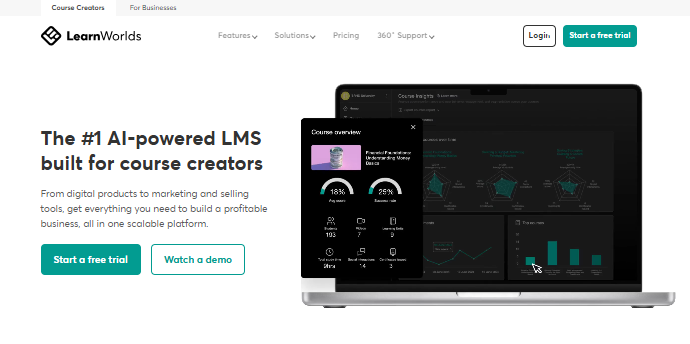
LearnWorlds is one of the top online course platforms for creating, selling, and marketing your online courses. It is nearly an all-in-one teaching tool. It has more functionality for building amazing online courses and training programs than almost any other platform on this list.
You can add interactive videos with pop-up texts and quizzes, build a social learning community, add interactive eBooks where students take notes while reading, and even create a branded mobile app for your school.
Is LearnWorlds Good for Beginners and Advanced Course Creators?
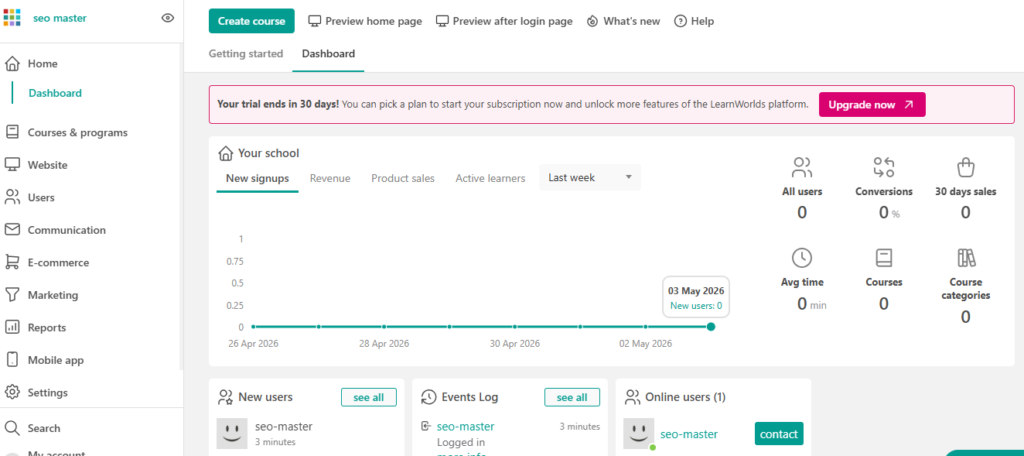
Yes, and that is one of its biggest strengths. Even if you are creating your very first online training, you can get your course set up within a few hours. The admin area is clean and intuitive. All the options you need are visible on one screen. After just a minute of exploring, you know where all the key functions live in the left-side navigation.
Teachers can grow into more advanced features after their first launch without feeling overwhelmed from day one. LearnWorlds stands out from the competition because you can make courses with a very high level of student interactivity and engagement right from the start.
Getting Started with the LearnWorlds Online Course Builder
Once you sign up, you gain immediate access to the course admin area. You can start adding lessons in the online course builder, upload videos and content, fill out your sales and signup pages, set up all your marketing materials, and check your reports. The entire workflow is logical and clear even for first-time users.
LearnWorlds Features
LearnWorlds is on this list for good reason. Here are the standout features that add real value for you and your students:
- Interactive eBooks where learners take notes while they read
- Built-in social network to connect students with each other without needing a separate Facebook group
- Strong course assessments including quizzes, assignments, and full exams
- Automated newsletter feature for sharing content and updates with your student community
- Interactive video with pop-up text, resource links, navigation hotspots, and in-video questionnaires
- Sales page builder with hundreds of quick-start templates available on every single plan
- Your own branded mobile app so students can access your school on iOS and Android
- SCORM and xAPI support for corporate eLearning and compliance training compatibility
- AI Course Editor for faster, smarter course content creation
Pros:
- Highest level of course interactivity on this entire list
- Strong student engagement tools including community and drip content
- Great fit for both beginners and experienced course creators
Cons:
- Starter plan charges $5 per course sale
- Slightly steeper learning curve than Teachable
- Full mobile app experience requires a higher-tier plan
What Does LearnWorlds Cost?
You can try LearnWorlds free for 30 days with full access to all functionality. No credit card required.
- Starter: $29/month (billed annually), custom domain, unlimited paid courses, $5 per course sale fee
- Pro Trainer: $99/month (billed annually), removes all transaction fees, unlimited landing pages, membership options
- Learning Center: For large schools with multiple instructors and thousands of students
LearnWorlds Discounts
Annual billing saves you 20% compared to monthly pricing. LearnWorlds also gives you free access to the LW Teaching Academy when you sign up, which walks you through building and launching your first course fast.
2. Thinkific Review: Online Course Platform
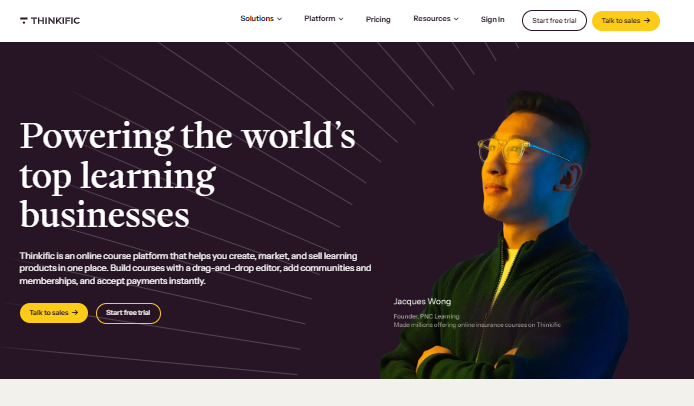
Thinkific is one of the most popular online course platforms available. It helps you create and sell digital courses with easy-to-use features, email marketing tool integrations, membership site tools, and 5-star-rated 24/7 customer support.
It works as a complete all-in-one online course system, but you can also use it alongside your own website and separate marketing tools if you prefer. Thinkific gives you the flexibility to grow in whatever direction makes sense for your business.
Thinkific Standout Features
Thinkific is a great choice as a complete platform to build and promote your courses. Here is what makes it different:
- All media types supported: video, PDF, audio, HTML, quizzes, surveys, plus outside resources like Typeform, Articulate, and Storyline
- Full e-commerce and student tracking with reporting on sales and progress
- Segment.io integration so you can connect student data to other systems easily
- Complete white-label branding so no one can see that Thinkific is running underneath your school
- Excellent knowledge base where you can find answers to almost any question within minutes
- 0% transaction fees on every plan including the free tier
Pros:
- Zero transaction fees is a massive long-term cost advantage
- Excellent white-label and customization options
- Great for combining course selling with membership site features
Cons:
- Email marketing requires a third-party tool like Mailchimp
- Free plan limits you to three courses
- Some advanced marketing automation locked to higher plans
Help Getting Started and Creating Your Online Course
One of the best things about Thinkific is that it actively helps you launch. That is what the Thinkific Fast Track is about. It is a free course that takes you by the hand and walks you through building out your course in about three hours so you can launch within 30 days or less.
What Does Thinkific Cost?
Thinkific has a free plan and a 14-day free trial on paid plans. Zero transaction fees on all plans.
- Free plan: Up to 3 courses, 0% transaction fees
- Basic: $74/month (monthly) or $49/month (annually)
- Start: $99/month (annually)
- Grow: $199/month (annually)
Thinkific Discounts and Extras
Thinkific offers a 25% discount when you pay annually, dropping the Basic plan to $49 per month. Zero transaction fees on all plans means no surprise costs eating into your earnings. The Fast Track free training is available to all new users.
3. Teachable Review: Online Course Platform
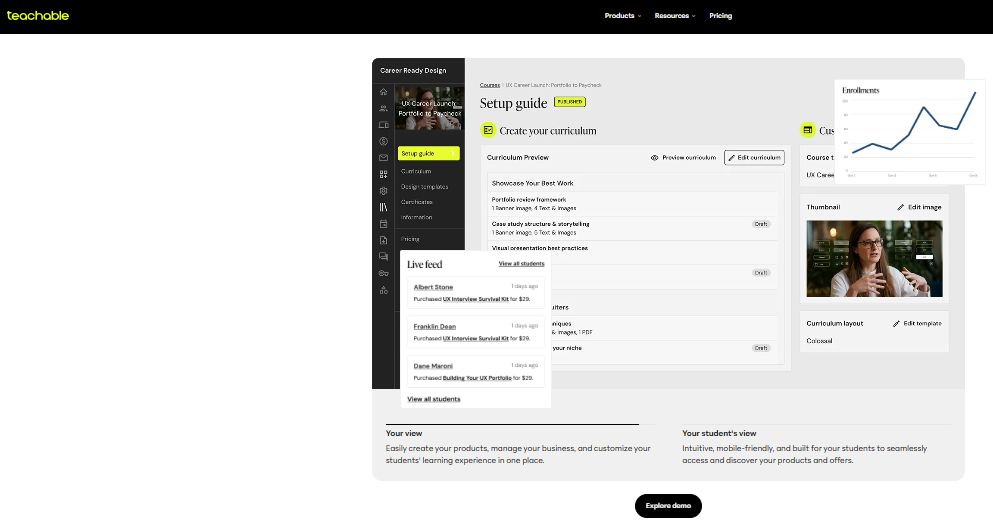
Teachable’s catchphrase is “Everything is Teachable.” That is a fair claim. Teachable is one of the most popular online course creation software tools available. It has helped over 150,000 instructors teach millions of students, with creators earning more than $2 billion through the platform to date.
The course pages look clean and professional right out of the box. The setup is simple and requires zero technical knowledge.
Is Teachable Best for Course Creators?
Teachable is great for course creators who want to get started fast. You will not be able to customize every tiny detail of your pages, but in return, it is very easy to use and quick to set up. The platform gives you unlimited students and free video hosting for your content. You can also customize your school to match your branding.
Teachable is easy to use for both smaller starter courses and more advanced longer online training programs and membership sites.
Getting Started with the Teachable Online Course Builder
Once you sign up for free, you get immediate access to the course creation dashboard. From there it is simple to start using the online course builder and set up everything including your payment system, course materials, and your course landing and sales pages.
Teachable Features and Special Functions
Here is why Teachable makes this list of best online course platforms:
- Professional course page design that builds instant trust with new students
- Free video hosting included so you upload course videos directly without a separate service
- Built-in affiliate program so others can promote and sell your courses for a commission
- Teachable’s own payment processor, one of the only platforms that does this
- More than just courses: coaching sessions, digital downloads, memberships, and community forums supported
- AI-powered course creation tools to build outlines and content faster
- Mobile student app included on all plans
- 30-day money-back guarantee on all paid plans
Pros:
- Easiest setup of any platform on this list
- All-in-one for courses, coaching, and digital downloads
- Professional course page design out of the box
Cons:
- 7.5% transaction fee on the starter plan
- Limited design customization compared to Thinkific
- Video storage limits on lower-tier plans
What Does Teachable Cost?
Teachable has a 7-day free trial. Sign up with a partner link and you may get a full month free.
- Free plan: Available with limited features
- Starter: $39/month (monthly) or $29/month (annually), includes AI features and mobile student app, 7.5% transaction fee per sale
- Builder: $89/month, 0% transaction fees, 5 courses, email marketing, affiliate program, certificates, live chat support
- Growth: $189/month with advanced reporting and integrations
- Advanced: $399/month with white labeling, 100 courses, and advanced analytics
Teachable Discount
Get 22% off when you choose annual billing. Starter drops to $29/month and Advanced drops to $309/month. A 30-day money-back guarantee is included on all paid plans.
4. FreshLearn Review: Online Course Platform 40% Off
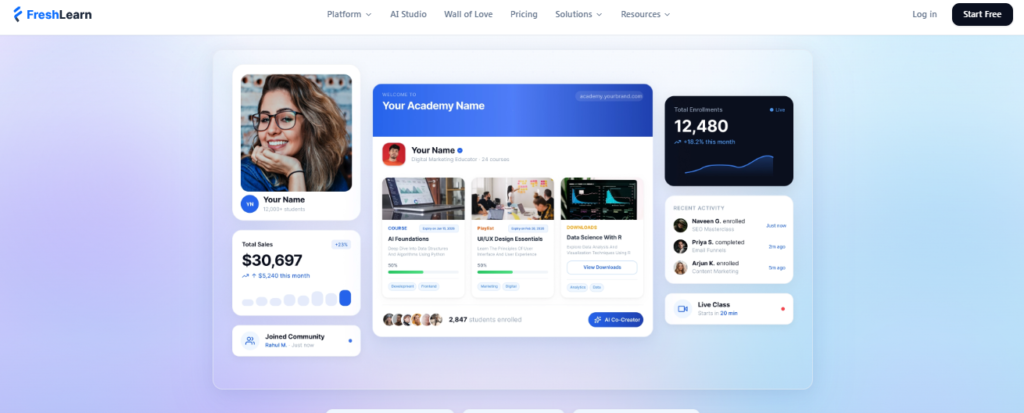
FreshLearn is a newer online course platform that has quickly gained popularity among budget-conscious creators. In just a few years, creators on FreshLearn have launched over 53,000 products and seen more than 1.5 million enrollments, earning around $695 million from their courses. Not bad for the new kid on the block.
Is FreshLearn Best for Budget-Conscious Course Creators?
FreshLearn is ideal for course creators who want all-in-one features on a budget. It offers an affordable, creator-friendly tool without skimping on functionality. You get an easy-to-use course builder plus built-in tools for websites, email marketing, and student communities.
Unlike many competitors, FreshLearn does not nickel-and-dime you with transaction fees or enrollment limits. It charges 0% transaction fees on course sales, even on the free plan. That is a huge plus for anyone just getting started.
Getting Started with FreshLearn
Getting started is a breeze. Sign up free and start building your course right away. The interface is straightforward and beginner-friendly. You can create your course curriculum, upload videos, add quizzes or assignments, and design website pages with a drag-and-drop editor.
Bonus: Already have courses on another platform? FreshLearn provides free migration assistance. They will help move your content and students over at no extra cost.
FreshLearn Features and Special Functions
FreshLearn packs a lot of value for the price. Here are the standout features:
- All-in-one platform: Built-in tools for memberships, email marketing, blogging, and student communities included
- 0% transaction fees: Keep 100% of your course sales, no commission even on the free plan
- Unlimited courses and students on paid plans with free video hosting and no bandwidth limits
- AI course tools to generate course outlines and quizzes automatically
- Community and engagement tools: Private student community, gamification with quizzes and certificates, live classes and webinars
- Zapier integration for connecting workflows and automating tasks
- Free migration support on annual plans for platform switchers
Pros:
- Best pricing on this list, especially the free plan with zero fees
- Strong feature set that replaces several separate tool subscriptions
- Free migration support makes switching platforms painless
Cons:
- Smaller brand recognition than Teachable or Thinkific
- Marketing automation less advanced than Kajabi
- Fewer third-party integrations on lower-tier plans
What Does FreshLearn Cost?
- Free plan: 1 course, 25 enrollments, 0% transaction fees
- Pro: $49/month (or $41/month annually), unlimited courses and students
- No Brainer: $79/month adding live classes, certificates, assignments, and priority support
- No Brainer Plus: $149/month with advanced automation and API access
FreshLearn Discounts and Extras
Save 25% with an annual plan and 40% with a 2-year plan. The Pro plan drops to around $41 per month on annual billing. Free migration help is available on annual plans. You can start building on the free plan right now with no credit card required.
What Are The Best All-in-One Online Course Platforms?
Vendors like Kajabi and Thinkific can take care of everything for you, from course building to web hosting, online course delivery, and marketing your learning products. If you want to sell courses and build a business around them but do not yet have a website or email marketing tool, this is the easiest path to get started.
When selling eLearning courses, pick the setup that is easiest to start so you can stay focused on course creation and successfully sell your courses.
5. Thinkific as an All-in-One Platform
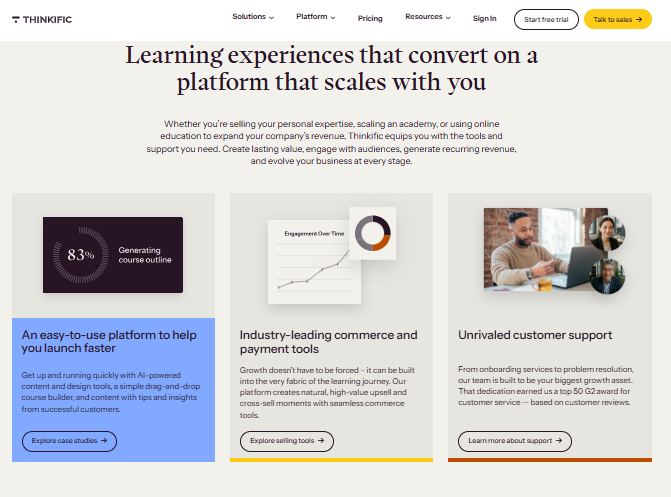
Thinkific is also great as a fully hosted course platform plus marketing plus sales plus e-commerce plus membership tool all rolled together.
The all-in-one Thinkific setup is especially useful if you want to create a course in a very short amount of time. You get a lot of pre-made resources and sales page templates, so it is easy to validate your course idea and test whether people want to join. You can still use your own email marketing tool and website CMS like WordPress and WooCommerce alongside Thinkific if you prefer.
All-in-one features include:
- Full e-commerce and student enrollment and tracking with reporting
- Checkout pages and payment gateway integrations built in
- Website and sales page creation with a CMS and ready-made templates
- Sales funnels, lead magnet funnels, and webinar funnels
- Full membership area
- Built-in email marketing and automation tools
- Complete white-label branding throughout your school
Creating Your Online Course in a Flash
Thinkific can get you launched faster than you expect. The Thinkific Fast Track free course takes about three hours and is designed to walk you through building and launching your course in 30 days or less. It is one of the best free resources available for first-time course creators anywhere.
6. Kajabi Review: All-in-One Platform, a Bit More Pricey But Complete
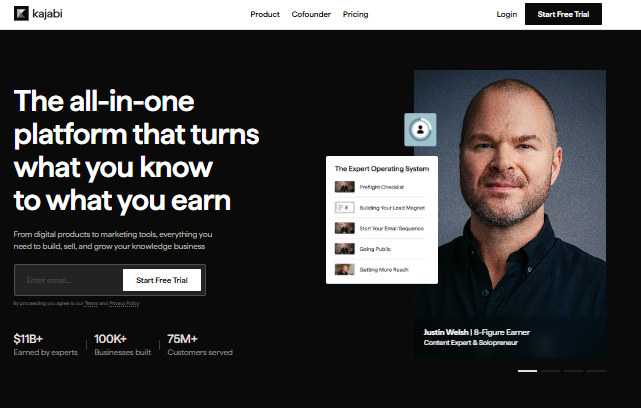
Kajabi is a full online teaching platform. It has an online course builder plus all the functionality you need to sell your course, including landing pages, sales funnels, and drip campaigns. In other words, it is built to get visitors to sign up and buy.
You can run all of your email marketing directly from inside Kajabi, including drip and follow-up campaigns. Kajabi also integrates with the most popular email marketing platforms including Mailchimp, MailerLite, and ActiveCampaign for creators who want more advanced email features.
Good Looking Out of the Box Plus Theme Marketplace
The pages and courses look great right out of the box. Kajabi comes with a solid number of standard templates you can use immediately. There is also a marketplace for additional themes from the Kajabi community if you want something more unique. Seeing community-made designs and templates that go beyond what Teachable, Thinkific, and other alternatives offer is a real differentiator.
Video Hosting and Streaming Is Included
Kajabi has Wistia, one of the best video streaming platforms available, fully integrated for your course videos. This is all included in the price at no extra cost. Considering Wistia Pro costs around $99 per month on its own, this is outstanding value inside the Kajabi subscription.
Live Events and Virtual Summits Are Easy to Set Up
Kajabi is very strong for live events. You can set up virtual summits or conferences using pre-built templates for streaming classes and events. Starting a webinar in Kajabi and customizing your entire funnel is as simple as changing text and video links on the registration page, promotional emails, and post-event follow-ups.
Customer Support and Hero University
Hero University is Kajabi’s built-in training and community hub that helps you as a user get the most out of the platform. The support documentation is excellent. If you cannot find what you need there, the active Kajabi community has created custom themes and extensive resources across dozens of additional blogs and forums.
Standout Features of Kajabi
According to Kajabi users, the most valued standout features are:
- Create engaging courses with video, PDFs, digital products, and mobile apps
- Memberships, quizzes, and assignments included
- A WordPress-style CMS for managing your pages and blog
- Build any type of funnel including product launch, lead magnet, and webinar funnels with checkout pages, upsells, and cross-sells
- Simple payment cart with Stripe and PayPal integration included
- Email and marketing automation tools you will actually use
- Community platform and podcast hosting tool included
- 0% transaction fees on all plans
Pros:
- Replaces 5 or more separate tool subscriptions in one monthly price
- Wistia-powered video hosting included at no extra cost
- Strong built-in sales funnel and landing page builder
- 0% transaction fees on all plans
- Live events, virtual summits, podcast hosting, and community all included
- Excellent Hero University training and active community support
- Theme marketplace with community-made designs
Cons:
- Highest starting price of any standalone platform on this list
- Too feature-heavy for beginners launching their very first course
- Course builder is slightly less flexible than Thinkific or LearnWorlds
- No permanent free plan, only a 14-day trial available
What Does Kajabi Cost?
Kajabi’s starting price is higher than other platforms, which reflects how many features it includes. A 14-day free trial and a 30-day money-back guarantee are both available.
- Basic: $119/month (monthly) or $99/month (annually)
- Growth: $159/month (annually)
- Pro: $319/month (annually)
Kajabi Discounts and Extras
Kajabi offers a 20% discount when you choose annual billing. The Basic plan drops to around $99 per month.
7. Academy of Mine: Enterprise Online Training Software
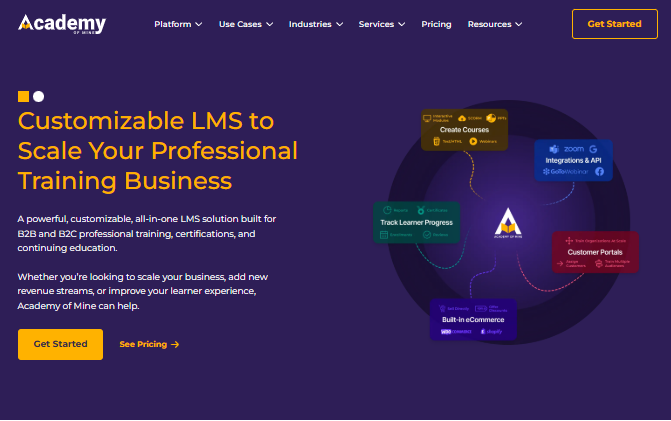
Academy of Mine is one of the top enterprise eLearning platforms. It starts at $599 per month, making it the most expensive option on this list. But it is a fully done-for-you all-in-one online training software where the Academy of Mine team fully customizes your environment including a complete website and branded setup.
It is a great choice for bigger businesses with use cases for internal training, HR onboarding, online language schools, and coding academies.
Key features include:
- Self-paced courses with video, audio, PDF, SCORM, xAPI, PowerPoint, and HTML content types
- Live virtual training with video conferencing, live chat, screen sharing, and a collaborative whiteboard
- Group and corporate onboarding with bulk selling of course seats and delegated student management
- In-person booking tools, calendars, eBooks, downloadable products, and custom user roles
- Personal audit trail and advanced compliance tracking
Pros:
- Fully done-for-you setup including website, branding, and complete course environment
- Supports self-paced, live virtual, and in-person training all in one place
- Strong corporate and group onboarding with bulk course seat selling
- SCORM and xAPI compatible for enterprise compliance training
- Advanced user roles, personal audit trail, and detailed compliance tracking
- Dedicated support team included in the premium price
Cons:
- Most expensive platform on this list at $599/month starting price
- Not suitable at all for solo creators or small budgets
- Complete overkill for simple course selling or individual instructors
- No self-serve free trial available, requires contacting the sales team
Pricing: Starts at $599/month. Contact sales for an enterprise quote.ls, and organizations that need a complete enterprise eLearning environment built for them.
What Are The Best WordPress LMS Plugins for Course Creators?
A WordPress LMS is a course software plugin you install on your existing WordPress website. This path is great if you are already comfortable with WordPress and want full control over your data, hosting, and course experience without paying ongoing monthly platform fees.
8. LearnDash Review: Best WordPress LMS Plugin
LearnDash is the most popular WordPress LMS plugin today. It turns your WordPress website into a self-hosted learning environment with a full online course builder and a strong set of features.
One of the best features since version 3.0 is Focus Mode. When students go through your course in Focus Mode, all other distractions on your site are hidden. Students see only the course content, which dramatically improves course completion rates.
LearnDash comes with a drag-and-drop online course builder. You can create courses with lessons, videos, quizzes, and more very easily. Email drip campaigns are included so you can pace content delivery automatically. The plugin works well with bbPress, MemberPress, WooCommerce, Stripe, and PayPal.
You can sell individual courses, offer subscriptions, memberships, or use a shopping cart for course access. Automatically generated certificates and badges with each student’s name and quiz scores are a nice touch that adds real perceived value to completing your course.
Pros:
- Flat $189/year fee is much cheaper long-term than monthly subscriptions
- Full data ownership with zero platform lock-in
- Deep integration with the entire WordPress plugin ecosystem
- Focus Mode dramatically improves student course completion rates
- SCORM and xAPI compatible for corporate eLearning use cases
- Certificates and badges generated automatically based on quiz scores
- Works with WooCommerce, MemberPress, Stripe, and PayPal
Cons:
- Requires a separate WordPress hosting plan to get started
- Video hosting is not included, you need Vimeo or YouTube separately
- More technical setup required compared to any hosted platform
- Not suitable for beginners with no WordPress experience
- No built-in marketing or sales funnel tools
Pricing: $189/year flat fee. 15-day money-back guarantee. No monthly fees. No transaction fees.
9. LifterLMS: WordPress Course Software
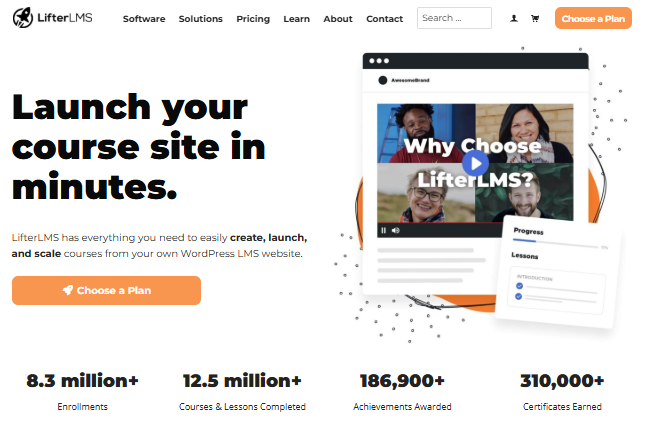
LifterLMS is a powerful LMS plugin for WordPress. You can easily create and sell online courses on your own WordPress site and expand core functionality by adding extensions for Stripe, PayPal, Authorize.net, email marketing, and more.
Like LearnDash, LifterLMS offers student engagement features including certificates, badges, and social interaction elements. It also mixes well with 1-on-1 coaching, which makes it especially useful for coaches who sell private sessions alongside group courses. You can sell individual courses, create and sell course bundles, or offer a full membership site with discounted access tiers.
Pros:
- Core plugin is completely free to start
- Best 1-on-1 coaching integration of any WordPress LMS option
- Universe Bundle is strong value for the complete feature set
- Private student and instructor messaging built in
- Sell individual courses, bundles, or full membership sites
- Stripe, PayPal, and Authorize.net payment integrations included
- Certificate and badge tools included in the bundle
Cons:
- Full feature set requires the paid Universe Bundle at $360/year
- Less polished interface compared to hosted platforms
- Not ideal if you do not offer any coaching alongside your courses
- Requires WordPress and separate hosting setup
- Marketing tools are more limited than Kajabi or Thinkific
Pricing:
- Core plugin: Free
- Individual add-ons: $120
- Universe Bundle (all add-ons): $360/year
10. Masterstudy LMS: WordPress Online Course Plugin and Theme
Masterstudy LMS is a modern online education and learning management system plugin and theme for WordPress. Pages have a sleek and professional design. The entire plugin is built in Vue.js, which makes it fast and highly responsive on all devices.
It has an easy-to-use course admin panel, a student messaging system, quiz tools, and course announcements built in. You can create three types of lessons: text lessons, video lessons, and slideshow lessons.
The Pro version adds a Udemy Course Importer, course prerequisites, online testing and assignments, sequential drip content, a gradebook, live lesson streaming, group courses, and WooCommerce integration.
Pros:
- Very affordable at a one-time $55 starting price
- Built entirely in Vue.js for fast, responsive page loading
- Sleek, professional design right out of the box
- Udemy Course Importer on Pro version saves huge amounts of setup time
- Live lesson streaming and group courses available on Pro
- WooCommerce integration for flexible payment options
- Full WordPress ownership with no monthly platform fees
Cons:
- Pro version needed for most standout features
- Smaller community and support resources compared to LearnDash
- Less third-party integration options than other WordPress LMS plugins
- No built-in email marketing or funnel tools
- Video hosting not included, requires a separate video hosting service
Pricing: Starts at $55 for the full theme and plugin combo. Pro version available with a complete feature set.
What Are The Best Online Learning Platforms and Marketplaces?
Online learning marketplaces like Skillshare and Udemy spend a lot of resources attracting students and course creators. They handle some of the selling for you and take away most design and hosting headaches. Just be aware that courses do not sell themselves. Even on the biggest marketplaces like Udemy, there is real competition between course creators.
Udemy: Best Learning Platform for General Knowledge and Business
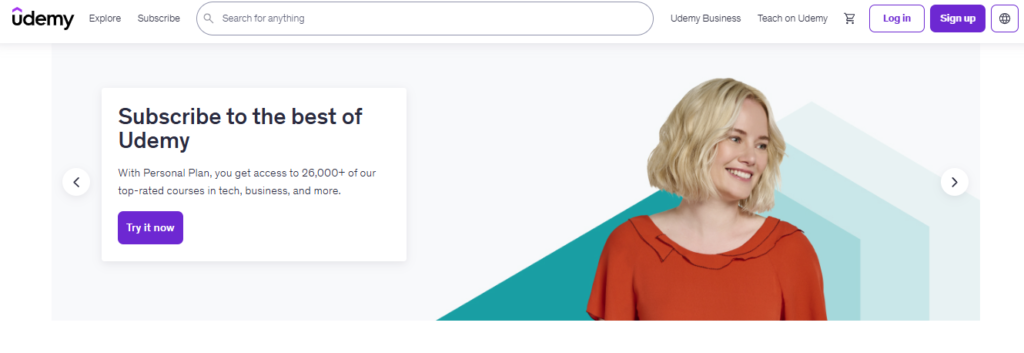
Udemy is one of the most popular online learning platforms in the world. It is certainly the most visited for buying online courses, with more than 59 million active learners and over 213,000 courses across virtually every topic.
Pros of the Udemy Learning Platform
- No setup cost or platform fees to list a course
- All online course hosting is handled for you
- Self-paced learning with video, PDF, and text formats
- No technical knowledge required at all to get started
- A large built-in audience that may discover and buy your courses
- Completion certificates issued to students automatically
- Global reach across hundreds of countries and languages
Cons:
- Platform takes 50 to 75% of every sale it drives itself
- You keep only up to 97% when students buy through your own referral link
- Very little control over pricing, discounting, or promotions
- You do not own the student relationship or their contact information
- Heavy competition between course creators across all topics
- Udemy controls when and how often your course goes on sale
Pricing: Free to list. 3% fee on instructor-promoted sales. 50 to 75% commission on Udemy-promoted sales.
Skillshare: Best Learning Platform for Creative Learning
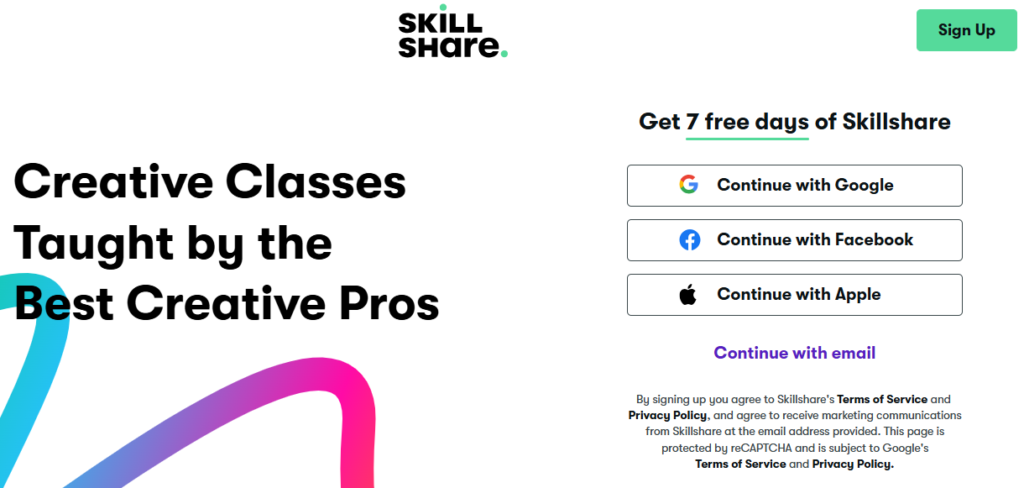
Skillshare is one of the best online learning platforms for creative instructors. There are more than 4 million students and over 24,000 lessons on the Skillshare marketplace.
Course lessons run between 20 and 60 minutes and are built as a series of short video segments. Each class has a hands-on project and a community discussion forum where students interact and give feedback.
The platform has four main course categories:
- Creative topics: The biggest category, covering music, graphic design, cooking, illustration, photography, and more
- Business: Marketing, freelancing, and business analytics
- Web and technology: Web development, UX/UI design, and e-commerce
- Lifestyle: Languages, wellness, interior design, and personal development
Pros:
- Free to join and list courses as an instructor
- Strong built-in creative audience of 4 million plus students
- Community interaction and class projects built into every course
- Royalty income is passive once your course is published
- Referral program available for additional earning potential
- Short course format is easy and fast to produce
Cons:
- Royalty model income can be unpredictable month to month
- Less suited for business, academic, or technical course topics
- No control over individual course pricing whatsoever
- Students pay Skillshare, not you directly
- You do not own your student list or relationship
- Platform can change the royalty model at any time
Pricing: Free for instructors. Royalty income based on minutes watched by paying members.
Coursera: Best Learning Platform for Academics
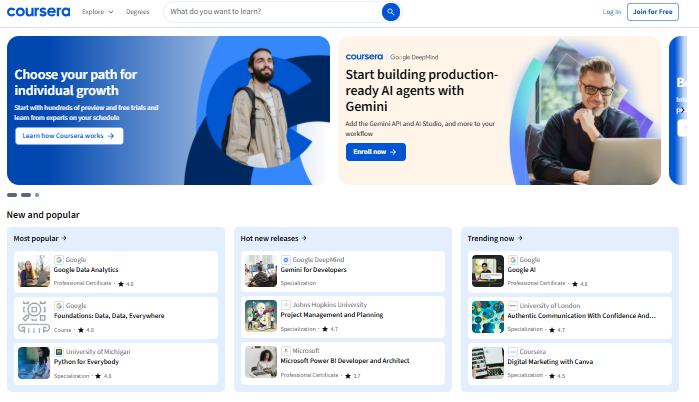
Coursera is an online learning platform founded in 2012 by two former Stanford professors. Coursera instructors teach at top universities and major companies and offer MOOCs to a global learner community.
It partners with more than 200 universities and organizations including Google, IBM, Duke, and Stanford, serving over 77 million learners. Coursera offers courses, specializations, professional certificates, and full online degree programs. Unless you teach at a partnering institution, you cannot independently create and host a course on Coursera.
Pros:
- Partners with 200 plus top universities and organizations worldwide
- Employer-recognized certificates and accredited degree programs available
- Financial aid available for low-income learners
- 77 million plus active learner community
- Strong in business, science, data, and technology topics
- Free to audit most courses before committing to a paid certificate
Cons:
- Not open to independent individual course creators
- Limited topic range, mainly business and science focused
- Some programs have fixed start and end dates
- Direct interaction with instructors for questions is often limited
- Peer-reviewed assignments can cause long delays in getting your certificate
- Getting listed requires an institutional partnership, not a simple signup
Pricing: Free to audit most courses. Coursera Plus Annual: $399/year. 7-day free trial available.
Code Academy: Best Platform for Learning to Code
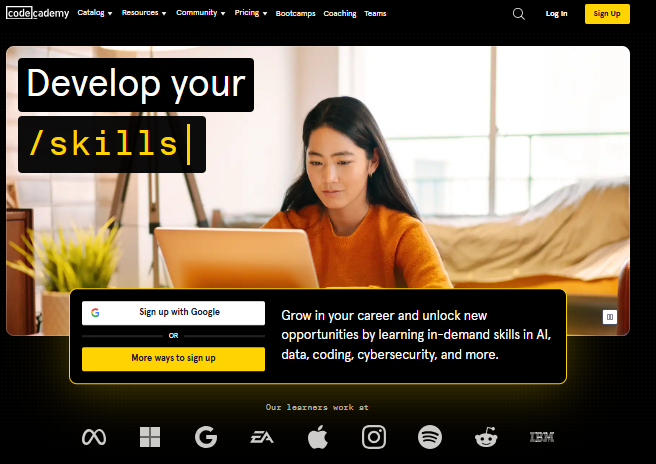
Code Academy is a learning platform that offers niche courses focused on IT and programming. It is built so you can start at any experience level, from basic HTML, JavaScript, and Python all the way up to advanced programming.
What makes Code Academy different from other online learning platforms is the hands-on, interactive approach. You do not just watch videos about code. You write actual code inside the browser and see it run in real time. Classes progress in levels so you can build skills to create websites, apps, and advanced programming projects.
Pros:
- Completely free to start with 180 hours of learning content
- Hands-on interactive coding inside the browser, no software needed
- Great for all experience levels from total beginners to advanced coders
- Clear skill progression path from basic to advanced programming
- Covers HTML, CSS, JavaScript, Python, SQL, and more
- Pro membership free for the first week
Cons:
- Only covers IT and programming topics, no other subject areas
- Not a platform for selling or monetizing your own courses
- Free plan has limited access compared to Pro membership
- Less community interaction than platforms like Skillshare
- Interface feels more tool-like than a traditional course experience
Pricing: Free plan includes 180 hours of content. Pro membership free for first week.
What Are The Other Top Online Learning Platforms Worth Knowing?
Beyond the main categories above, there are some more specialized online learning platforms worth knowing about. These tools serve specific audiences including working professionals, corporate teams, academic institutions, and K-12 schools.
LinkedIn Learning: The Best Online Training Platform for Professionals
G2 Rating: 4.4 | Capterra Rating: 4.6
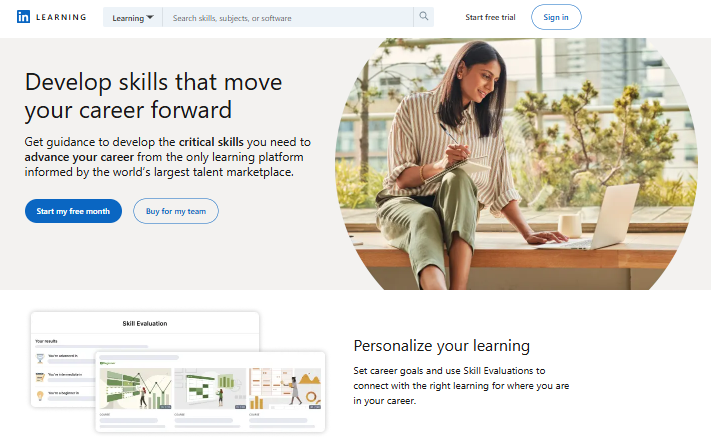
The merger of Lynda.com with LinkedIn in 2017 gave birth to LinkedIn Learning. Catering to the fields of creativity, business, and technology, this platform provides access to over 16,000 paid and free online courses and professional development programs to its massive user base of over 700 million individuals. Learners can enhance their abilities in almost any field, whether it is marketing, course development, or time management skills.
Unlike many other learning platforms, LinkedIn Learning stands out as one of the best training tools that offer certification. Upon course completion, learners receive a certificate they can prominently display on their LinkedIn profile. Even though LinkedIn Learning courses lack formal accreditation, the certificate of completion can significantly enhance your profile and open up new business opportunities.
Who Is LinkedIn Learning Best For?
Those selling online courses: LinkedIn Learning allows instructors to reach professionals and businesses seeking to improve their skills. The platform is ideal for those who want to showcase their expertise and leverage LinkedIn’s network to market their courses. Certification upon course completion is a significant draw for potential learners.
Those buying online courses: Professionals who want to advance in their careers can benefit from LinkedIn Learning’s vast course catalog. The platform offers courses on business, technology, soft skills, and creative skills, with the added advantage of integrating course completions directly into your LinkedIn profile.
Why We Picked LinkedIn Learning
We appreciate the platform’s micro-learning approach and its interactive nature. But the best part is that instructors have to demonstrate expertise and exceptional presentation skills to be accepted. On this platform, passion alone does not suffice.
Pros:
- Expertly vetted instructors with proven expertise and strong presentation skills
- Caters to different learning styles with varied content formats, including AI presentation maker tools
- Enhanced engagement through interactive practice exercises and quizzes
- Certificates of completion that can be showcased directly on your LinkedIn profile
- Access to 16,000 plus courses across business, technology, and creative fields
- Reaches over 700 million LinkedIn users as a built-in professional audience
Cons:
- Lack of direct interaction with instructors or peers
- Narrow range of course subjects compared to Udemy or Coursera
- No LMS, marketing, or analytics integrations available
- LinkedIn Learning does not have formal accreditation
What Does LinkedIn Learning Cost?
LinkedIn Learning offers a monthly and annual plan as an all-access pass for individuals.
- Annual: $26.99/month (billed annually)
- Monthly: $39.99/month
- Teams: Contact LinkedIn for a custom quote
- A 1-month free trial is available for new users
iSpring LMS: The Best eLearning Platform for Corporate Training
G2 Rating: 4.5 | Capterra Rating: 4.7
iSpring LMS is a comprehensive platform loaded with both basic and advanced functionalities, all wrapped up in a user-friendly interface. Course creators and administrators can upload a wide array of training materials, including videos, audio, reference documents, and interactive SCORM content, making them accessible to learners on any device.
This online training platform has an impressive array of user management features. iSpring LMS offers a “Rules” feature which streamlines the assignment of content to learners based on their group, progress, or professional roles and allows you to automate what would otherwise be a labor-intensive process.
Perhaps the most distinctive offering of iSpring LMS is the inclusion of iSpring Suite, one of the most advanced eLearning authoring tools on the market. Integrated directly into PowerPoint, this tool empowers users to create courses using a wide variety of learning content types, from screencasts and talking-head videos to slide-based courses and interactive role-plays. The LMS also has a built-in course builder that allows you to create page-like courses and quizzes in no time.
Who Is iSpring LMS Best For?
Those selling online courses: iSpring LMS is designed for training industry professionals, subject matter experts, and organizations that need a robust LMS to manage, deliver, and track corporate training programs. It is especially useful for those who want to create interactive content with tools like iSpring Suite and provide a complete training cycle with self-paced learning programs.
Those buying online courses: Learners using iSpring LMS can have a highly engaging learning experience that includes various content types, from video courses and scenarios to SCORM packages, all within a user-friendly interface. The platform’s mobile compatibility and detailed progress tracking make it a great choice for business teams and individual learners alike.
Why We Picked iSpring LMS
iSpring LMS stands out by combining advanced functionality with ease of use. It offers a unique training solution that powers the full cycle of remote learning, including training content development, so you do not need any extra tools outside the platform.
Pros:
- Comes with an advanced desktop authoring tool, iSpring Suite, as well as an online tool for AI course creation
- Well-designed, intuitive user interface suitable for users of all tech skill levels
- Integration with video conferencing software such as Zoom and MS Teams
- Mobile app compatible with both Android and iOS devices
- 24/7 live support available around the clock
Cons:
- Gamification capabilities are pretty standard compared to dedicated gamification platforms
- Pricing per user model can become expensive for larger organizations
- Requires iSpring Suite add-on for the most advanced content creation features
What Does iSpring LMS Cost?
iSpring LMS has a Business plan with tiered pricing based on number of users:
- 300 users: $4.46 per user/month
- 500 users: $3.97 per user/month
- 1,000 users: $3.58 per user/month
- Custom: Contact sales for a custom enterprise quote
edX: The Top Online Educational Platform with Certifications
G2 Rating: 4.5 | Capterra Rating: 4.9
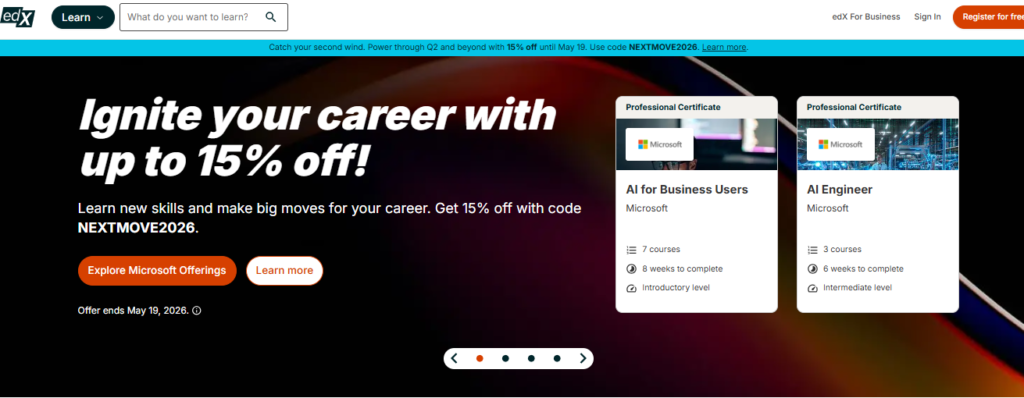
If you are seeking formal education opportunities and high-quality academic content, edX is a worthwhile online learning platform. As a mission-driven provider of massive open online courses, edX collaborates with renowned universities and organizations worldwide, such as Harvard, Berkeley, and IBM, to offer exceptional online courses to learners globally.
As with a university, you have access to a wide range of course topics, including architecture, the arts and humanities, computer science, linguistics, medicine, business, and economics.
Who Is edX Best For?
Those selling online courses: edX collaborates with leading universities and institutions to offer high-quality courses and degree programs. It is an excellent platform for educators who want to reach a broad audience while providing formal education with certificates that carry significant value in the job market.
Those buying online courses: Learners seeking high-quality, university-level education will benefit from edX’s offerings. The platform provides access to courses from prestigious institutions, many of which come with certification upon completion, making it a strong option for those looking to gain formal qualifications.
Why We Picked edX
Similar to Coursera, edX is a reputable online platform for education and online learning. Its courses are developed and conducted by faculty members of prestigious universities and trainers at renowned companies around the world, ensuring exceptional quality that speaks for itself.
Pros:
- Certificates of completion from highly recognized accredited institutions of higher education
- Programs from prestigious institutions such as Harvard and MIT
- Flexible, self-paced learning options available for most courses
- A diverse selection of course topics and online learning programs
- A partially free platform that lets you audit courses without paying
- Financial aid options are available for low-income learners
Cons:
- A lack of consistency in course structure because partners can create content as they see fit
- A relatively small selection of courses compared to other online learning platforms
- The interface may be cumbersome for some users
- Not open to independent course creators outside of partner institutions
What Does edX Cost?
- Free: Audit most courses at no cost
- Verified Track: Paid courses range from $50 to $300 depending on the course
- Master’s Degree programs: Can range as high as $10,000 to $25,000
- edX for Business (small teams): $349 per learner/year
- edX for Business (enterprise): Contact sales for a custom quote
Khan Academy: The Best Free Educational Platform
G2 Rating: 4.5 | Capterra Rating: 4.7
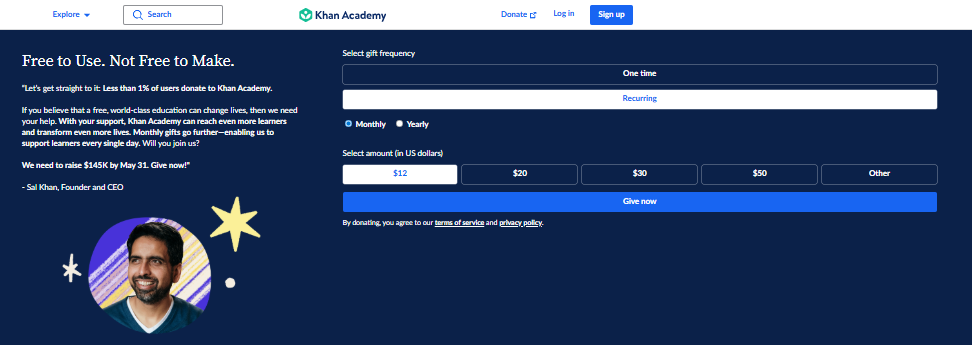
Khan Academy is an eLearning platform that provides students with a free, world-class education. Backed by some of the largest foundations and businesses in the world, Khan Academy has taken the world by storm since its fairly recent inception. You can find in-depth courses and programs on a wide range of topics, from programming languages and web development to creative skills and business management.
Unlike most platforms on this list, Khan Academy is not built for selling courses or earning revenue. It is built entirely around making high-quality education free and accessible to every learner on the planet, no matter where they live or what they can afford.
Who Is Khan Academy Best For?
Those selling online courses: Khan Academy is not a platform for selling courses but rather for providing free educational content. It is best suited for educators or course creators who want to contribute to accessible education by offering their knowledge and resources on any topic, including computer science, data science, time management skills, professional development, and business management, at no cost.
Those buying online courses: Students and learners of all ages looking for free educational resources can rely on Khan Academy for a broad range of subjects. The platform is ideal for those who need supplementary online learning materials or want to study independently at their own pace without any financial pressure.
Why We Picked Khan Academy
Khan Academy’s educational content is organized by grade level, making it easy to target students at a particular skill level. The platform also has powerful analytical features that enable you to track student progress over time. That combination of free access, structured content, and progress tracking is rare and genuinely valuable.
Pros:
- Absolutely free to use with zero cost to learners forever
- Offers a wide variety of subjects from math and science to coding and business
- Allows learners to study at their own pace with no deadlines or pressure
- Content organized by grade level for targeted skill-building
- Powerful analytics and progress tracking tools built in
- Backed by major global foundations ensuring long-term availability
Cons:
- Video tutorials are less interactive than face-to-face tutoring
- Uses a fairly formal and less exciting interface compared to modern platforms
- Not a platform for selling or monetizing your own courses
- Limited community and peer interaction features
- Course depth may not be enough for advanced professional learners
What Does Khan Academy Cost?
Khan Academy is absolutely free. There are no paid plans, no subscription fees, and no transaction costs. It is supported entirely by donations and foundation funding.
Blackboard: The Most Popular Educational Platform for Higher Education
G2 Rating: 3.9 | Capterra Rating: 4.2
Blackboard Learn is a truly veteran eLearning company. Launched in 1999, it has been going strong for decades now. During this period, it has attracted more than 100 million learners. Despite its name, it is not only appropriate for K-12 and higher education sectors but can also be leveraged by governments and businesses.
Blackboard Learn offers a broad selection of educational tools for distance learning but remains user-friendly. It enables educators and course creators to build and manage online courses, deliver assessments with automatic grading, and interact with students. The learning management system supports both live and self-paced training and offers online learning portals that provide tailored training experiences for various learner groups.
Who Is Blackboard Best For?
Those selling online courses: Blackboard Learn is tailored for higher education, more specifically for educational institutions that require a comprehensive LMS for managing courses, assessments, and student interactions. It is ideal for schools and universities that need a reliable platform for both live and self-paced distance learning.
Those buying online courses: Both students and educators who use Blackboard Learn benefit from a centralized online learning hub that facilitates communication, course management, and assessment. Its wide range of integrations and user-friendly interface make it a solid choice for educational environments.
Why We Picked Blackboard
We consider Blackboard to be a solid LMS for the academic sector. It is a robust solution that offers a sturdy system to faculty members so they can share course materials in one place, communicate with students easily, and give out grades online.
Pros:
- Provides seamless two-way communication between teachers and students
- User-friendly for both learners and educators
- Wide selection of plug-ins to enhance platform functionality
- Blackboard SafeAssign plagiarism detector built in
- Over 100 million learners have used the platform since 1999
- Supports both live and self-paced training formats
Cons:
- No capability to market or sell courses independently
- Needs improvements in user experience and interface design
- Mobile app functions but is a bit buggy on some devices
- Initial setup is difficult and time-consuming
- Starts at $9,500 per year, making it one of the most expensive options
What Does Blackboard Cost?
- Starting price: $9,500 per year
- Custom plans: Contact sales for a custom quote
- Free trial: 30-day free trial available
How Do You Create and Sell an Online Course?
There is no single fixed way to build a course, but here is a proven process for creating and launching your first course quickly without overspending.
1. Let the Experts Show You How to Create Your Own Course
The easiest way to learn how to create a course is to let an expert walk you through it step by step. The platforms in this guide really want you to launch a successful course, because that is the only way you will stay a customer.
So these platforms offer free training to help you get started. The added benefit is that you also learn about course creation by actually taking a course, which makes you a better course creator.
My two favorite free trainings to launch your first online course:
- LearnWorlds Academy (free access when you sign up)
- Thinkific Fast Track (free guided launch training, about 3 hours, gets you live in 30 days or less)
2. Pick a Course Topic Your Audience Is Interested In
Picking a course topic is as easy as knowing what people would like to learn from someone who knows just a bit more than they do. You do not need to be the world’s top expert. Everybody can teach something.
If it is your very first course, create a short micro-course first. The only goal is to learn about course creation and get comfortable with your platform of choice. While building your first course, you learn a huge amount that will make your second course much better. Later, you can repurpose the short course to build your email list or use it as the intro to a longer premium course.
3 Killer Ideas for Your First Micro-Course
Idea 1: Pick a smaller subtopic and make a three-lesson course from it.
- If your topic is weightlifting, create the first class about correct form and posture
- If your topic is email marketing, create the first training on writing a great subject line
- Simple lesson structure: Lesson 1 is why it matters and what you will learn. Lesson 2 covers the dos and don’ts. Lesson 3 shows examples with one practice exercise.
Idea 2: Talk about the four biggest trends in your topic. Each trend becomes one lesson.
Idea 3: Find a popular blog article about your topic and turn it into a short series of lessons.
Start with a micro-course because now is better than never. Getting your first course live is the real goal. You can always build something bigger later.
3. Figure Out How Much Creating Your Online Training Costs
Some reports say creating an online course costs an average of $3,000. That is far too high for most independent creators. You can build a solid course on a very modest budget.
If you have PowerPoint or Keynote, a laptop, a webcam, and a can-do attitude, you already have everything you need to get started. You can create a decent online course for under $250. Set aside $100 to $500 as a budget for your course. Your highest cost is almost always the time you invest, not the tools.
Here is a quick pricing overview for the top platforms:
| Platform | Starting Price | Free Trial? |
|---|---|---|
| LearnWorlds | $29/month | Yes, 30 days free |
| Thinkific | $74/month ($49 annually) | Yes, 14 days free |
| Teachable | $29/month (annually) | Yes, 7 days free |
| FreshLearn | $49/month | Yes, free plan available |
| Kajabi | $119/month | No, 14-day trial |
| Academy of Mine | $599/month | No, contact sales |
| LearnDash | $189/year | No, 15-day money-back guarantee |
| LifterLMS | $360/year (bundle) | Yes, core plugin free |
| Masterstudy LMS | $55 one-time | No, free demo available |
| Udemy | Free to list | Yes, free to list |
| Skillshare | Free to list | Yes, free to list |
| Coursera | Free to audit | Yes, 7-day free trial |
| Code Academy | Free (180 hrs) | Yes, Pro free first week |
| Khan Academy | Completely free | Yes, always free |
| LinkedIn Learning | $26.99/month (annually) | Yes, 1 month free |
| iSpring LMS | $4.46 per user/month | Yes, contact sales |
| edX | $50 per course | Yes, free to audit |
| Blackboard | $9,500/year | Yes, 30-day free trial |
You might wonder if there are any completely free online course platforms. They are all a bit free. Either a free trial or a free starting plan. A completely free platform may look appealing, but realize your biggest investment is almost always your time, not the platform subscription.
What Equipment Do You Need to Create an Online Course?
You do not need an impressive studio setup to build a course that sells well. You do need some basic equipment. Here is a practical walk through your main course gear options:
Microphone ($25 to $109)
Even if your content is amazing, bad audio quality is a big turn-off for the learning experience. A USB microphone is the single best upgrade you can make.
- Samson Meteor Mic: Small USB microphone with great sound capture, around $25
- Blue Yeti by Logitech: A step up with excellent quality and that instant podcaster feel, around $99
Camera ($0 to $60)
Most laptops come with a built-in webcam, so you might not need an extra one to start. If you want to upgrade, the Logitech BRIO Ultra HD records in 4K and sits right on your monitor for around $60. For location recordings, your smartphone camera is already amazing quality.
Screen Capture Recording Software ($0 to $20)
Screen capture mixed with your talking-head video is the most common online course format. Zoom is free and works well for screen recording and live training. Loom also has a generous free tier for screen and video capture. Both get the job done without spending a dollar.
Lighting Kit ($0 to $50)
Natural light from a window in front of your face is free and looks great on camera. Sit close to a window facing it for even, flattering lighting at no cost. A simple LED ring light or desk lighting kit costs around $30 to $50 and makes a noticeable difference for evening recordings.
Cool Course Creators Coffee Mug (You Know You Want It!) $10
Because every great course creator deserves a good mug. So you see, the best course creators do not need a fancy setup to get a great course going. If your video course is a talking-head presentation style, it is basically the same setup you already use for a conference call or webinar.
How Do You Choose the Best Online Course Platform for Your Business?
As you have realized by now, the best online course platform depends completely on your specific needs and situation. Here are clear recommendations based on specific goals:
- You want the best tool to create engaging, interactive course content: Check out Thinkific or LearnWorlds
- You need an all-in-one tool for courses, email marketing, website, memberships, and funnels: Thinkific or Kajabi are built for this
- You mainly need a solid eLearning tool but still want full email and drip campaigns: Go for Teachable or FreshLearn
- Your course platform needs a solid membership and login section: Thinkific and Kajabi are the platforms to look at
- You want a running start with hands-on help setting up your course: LearnWorlds Academy, Teachable, and Thinkific are very helpful here
- You want everything on your own WordPress site: LearnDash at $189 per year is the best value
- You want to reach working professionals and display certificates on LinkedIn profiles: LinkedIn Learning is the right fit
- You need a full corporate training system with advanced content authoring tools: iSpring LMS is built exactly for this
- You need university-backed certificates recognized by employers: edX or Coursera are your best options
- You run a K-12 school or academic institution: Canvas is the top pick
- You manage a large university or government training program: Blackboard Learn is the proven veteran choice
If you need help training a business team rather than selling to individual students, consider using a good learning management system for small businesses instead.
Final Verdict: Which Online Course Platform Should You Choose?
Here is the simplest possible summary to help you decide and get started right now:
- Zero budget, just testing an idea? FreshLearn free plan, zero fees, zero cost
- Want the easiest beginner launch? Teachable with a 7-day free trial
- Need zero fees plus maximum flexibility? Thinkific is the top all-around pick
- Want interactive video, eBooks, and a student mobile app? LearnWorlds is built for you
- Ready to consolidate all your tools into one dashboard? Kajabi is worth the investment
- Already on WordPress and want to skip monthly fees forever? LearnDash at $189/year
- Want to reach millions of students immediately at zero cost? List on Udemy for free
- Want to reach working professionals and add credentials to LinkedIn profiles? Use LinkedIn Learning
- Need a full corporate training system with advanced authoring? iSpring LMS is the right tool
- Seeking university-level certificates from Harvard, MIT, or IBM? Go with edX or Coursera
- Running a K-12 school or academic institution? Canvas is your best fit
- Managing a large university or government program? Blackboard Learn is the proven choice
The biggest mistake new course creators make is spending months comparing platforms instead of just picking one and launching. Every platform on this list has a free trial or a free plan. Sign up today, build your first lesson this weekend, and improve from there. Done beats perfect every time.
Frequently Asked Questions About Online Course Platforms
Which Platform Charges the Lowest Transaction Fees?
FreshLearn, Thinkific, Kajabi, LearnWorlds Pro and above, LearnDash, and LifterLMS all charge 0% transaction fees. You keep 100% of every sale minus only the Stripe or PayPal processing fee of around 2.9% plus $0.30 per transaction. Udemy takes the most at 50 to 75% per sale it drives. Teachable charges 7.5% on its starter plan. Always calculate your real year-one cost including transaction fees at your expected sales volume before choosing based on monthly price alone.
Can I Sell on Udemy and Still Have My Own Standalone Platform?
Yes, and many successful creators do exactly this. Udemy works well as a discovery channel where you offer a lower-priced version of your course to reach new students. Your standalone platform like Thinkific or FreshLearn is where you earn the most money and build your brand because you keep nearly all of every sale. Use Udemy as a top-of-funnel awareness channel and your own platform as your primary revenue engine.
Do Online Course Platform Certificates Have Real Value for Students?
It depends on who issued them. Certificates from Coursera and edX backed by universities like Harvard or Google are recognized by employers and genuinely help careers. LinkedIn Learning certificates are valued because they appear directly on professional profiles and are backed by LinkedIn’s 700 million user network. Certificates from standalone platforms like Teachable, Thinkific, or LearnWorlds carry credibility based entirely on your own brand reputation as an instructor. For professional development topics, your content quality and teaching credibility matter far more than which platform issued the certificate.
Is There a Truly Free Online Course Platform with No Hidden Fees?
FreshLearn’s free plan is the best option. It lets you publish one course with up to 25 student enrollments and charges zero transaction fees. Thinkific’s free plan supports up to three courses also with zero transaction fees. Teachable’s free plan is more limited and still charges 7.5% on sales. All three let you test your idea and make your first sales before committing to any monthly subscription.
What Is the Fastest Way to Validate a Course Idea Before Building It?
Create a simple landing page on FreshLearn or Thinkific using their free plan. Write a clear description of what your course will teach, set an early-bird price, and share the link with your audience. If people sign up or pay before you finish building the course, you have validated the idea. If nobody responds after two weeks of real promotion, you have saved yourself weeks of wasted effort. Validation before building is always smarter than building before validating.
What Is the Single Most Important Factor When Choosing a Course Platform?
Check the transaction fee structure before anything else. A platform that charges 5 to 10% per sale will cost you far more in the long run than a slightly higher monthly subscription with zero fees. Always calculate your expected total year-one cost including transaction fees at your projected sales volume before choosing based on sticker price alone.
How Many Online Course Platforms Should I Use at the Same Time?
Most successful creators use two platforms at most. A lower-priced version of their course on Udemy for discovery and a premium course on their own standalone platform like Thinkific or Teachable where they keep most of the revenue. Starting with just one platform is the right move for beginners. Add a second only after your first course is earning consistently.
Do I Need Technical Skills to Create and Sell an Online Course in 2026?
No. All four of the top standalone course builders, LearnWorlds, Thinkific, Teachable, and FreshLearn, require zero technical skills to launch. You sign up, fill in your course content, set your price, and share your course link. The platform handles hosting, payments, and student accounts automatically.
Is LinkedIn Learning Worth It for Professional Development?
Yes, LinkedIn Learning is genuinely worth it for professionals who want to upskill quickly and showcase that learning on their LinkedIn profile. With over 16,000 expert-led courses, a 1-month free trial, and completion certificates that appear directly on your LinkedIn profile, it offers strong value at $26.99 per month billed annually. The biggest limitation is that courses lack formal accreditation, so it works best for practical skill development rather than earning recognized academic credentials.
Which Platform Is Best for Corporate Training and Team Learning?
iSpring LMS is the top pick for corporate training because it combines a full LMS with iSpring Suite, one of the most advanced eLearning authoring tools available. It integrates directly with PowerPoint, supports Zoom and MS Teams, and has a mobile app for both Android and iOS. For enterprise organizations that need compliance tracking, advanced user management, and SCORM-compatible content, iSpring LMS covers the full corporate training cycle without needing any extra tools.