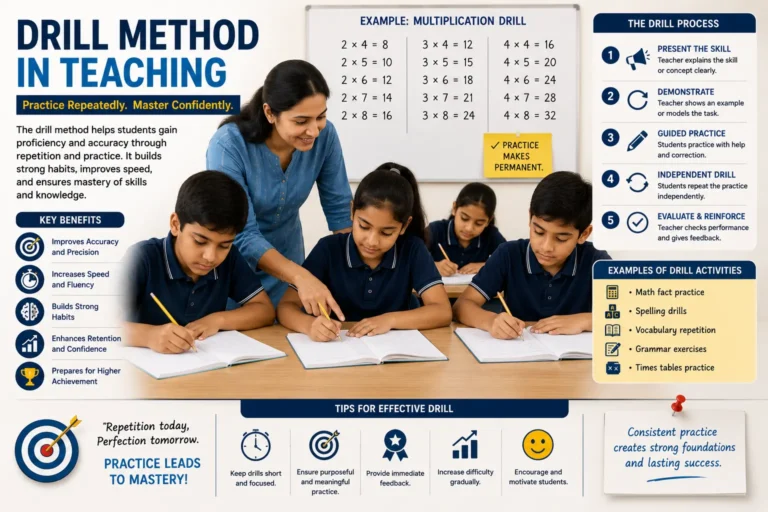
Progress Learning: Features, Login, Grades, and How It Works
Update: September 9, 2026
Progress Learning is a K-12 online learning platform. It offers standards-aligned practice, assessments, personalized learning, progress monitoring, remediation, and test preparation. Students and teachers can log in through several school systems, including Clever, ClassLink, Google Classroom, and Canvas. The platform covers many grade levels and subjects. Its Liftoff program also gives adaptive intervention support to eligible students in Grades 2 through 8.
Introduction
Progress Learning is an online K-12 learning platform used by schools for standards-aligned practice, assessments, progress monitoring, remediation, and test preparation. Teachers use it to track student growth, while students use it to practice skills in math, ELA, science, and social studies. Many people who search for Progress Learning want different things. Some are looking for the platform itself. Others want to log in, find Clever access, learn about its features, check grade level support, compare pricing, or see how effective it is for student outcomes. This guide covers all of these topics in one place, so you can quickly find the answer you need.
What Is Progress Learning?
Progress Learning is a K-12 supplemental learning platform that combines standards-aligned practice, assessments, personalized learning paths, progress monitoring, remediation, and instructional resources. It supports multiple subjects and grade levels and is designed for students, teachers, and school administrators.
Basic Definition
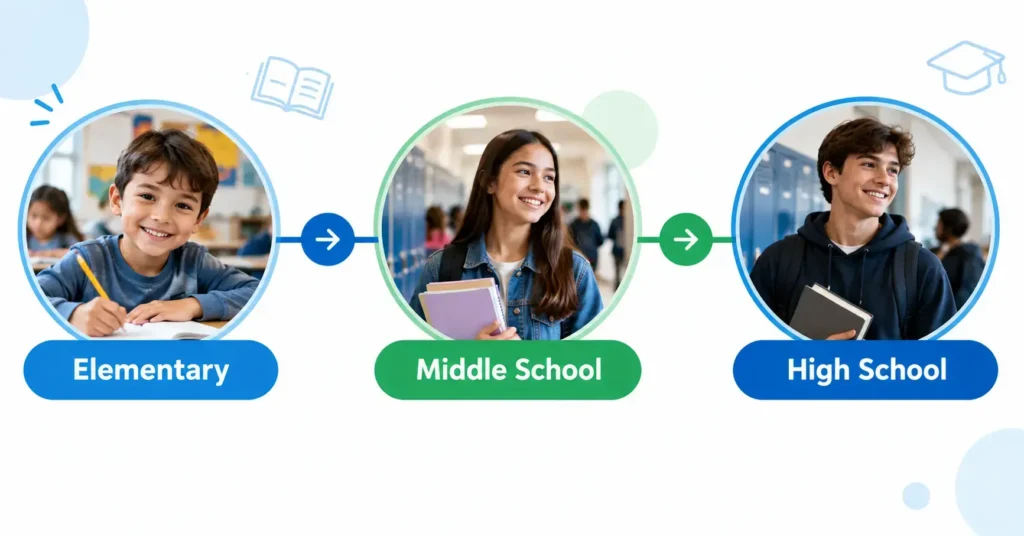
The Progress Learning platform is a digital tool that schools use alongside regular classroom lessons. It is not meant to replace teaching. Instead, it gives extra practice and support so students can build skills and get ready for state tests.
Who Uses It
Three main groups use this K-12 learning platform. Students use it to practice skills, take quizzes, and track their own growth. Teachers use it to assign lessons, check student progress, and find areas where a class needs more help. School administrators use it to see data across a whole grade level or building, so they can plan lessons and support for the year.
What Problem It Solves
Every classroom has students at different skill levels. A teacher cannot always give one-on-one help to every student who needs it. Progress Learning solves this by offering standards-aligned learning that adjusts to each student. It finds gaps in knowledge and gives targeted practice, so students get help in the exact areas where they struggle.
K-12 Coverage
The platform covers many grade levels, from elementary school through high school. It includes practice and assessments in core subjects like reading, math, science, and social studies. Because it follows state standards, the content matches what students are already learning in class.
Difference Between the Platform and Liftoff
Progress Learning and Liftoff work together, but they are not the same thing. Progress Learning is the main platform. It offers standards-based practice, assessments, and test preparation for all students. Liftoff is a smaller program inside the platform, built for students in Grades 2 through 8 who need extra intervention support. Liftoff uses adaptive technology to find a student’s exact skill level and build a personal learning path from there.
| Feature | Progress Learning (Main Platform) | Liftoff (Intervention Program) |
| Best For | All K-12 students | Grades 2-8 needing extra support |
| Main Use | Standards-aligned practice and test prep | Adaptive skill-gap intervention |
| Assessments | Yes, standards-based | Yes, diagnostic and adaptive |
| Personalization | Path based on standards | Path based on individual skill level |
| Subjects | Multiple core subjects | Reading and math focus |
What Does Progress Learning Include?
Progress Learning includes several tools that work together to support K-12 students. Each tool focuses on a different part of learning, from practice to testing to extra help.
Standards-Aligned Practice
Every state sets learning standards for each grade level and subject. These standards tell teachers what students should know by the end of the year. Progress Learning builds its practice questions around these state standards. This means students are not just doing random practice. They are working on the exact skills their state expects them to learn. Teachers can trust that the practice matches what will show up on state tests.
Assessments and Assignment Builder
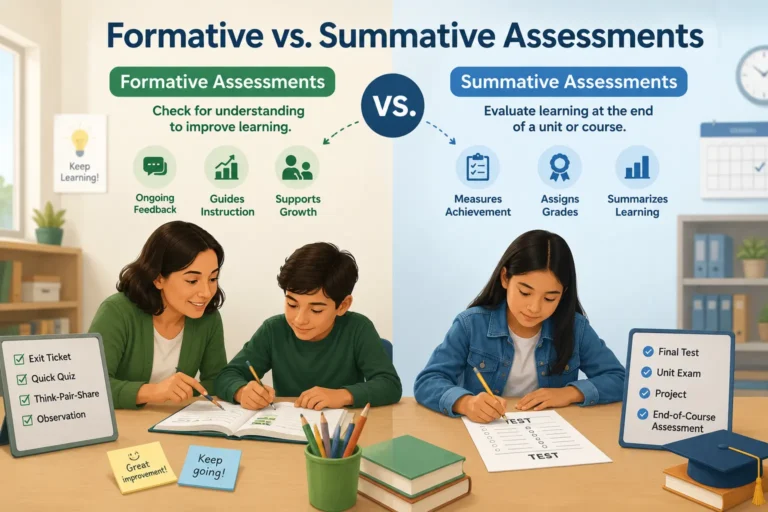
Progress Learning offers many types of assessments. Formative assessments check how students are doing during a lesson, so teachers can adjust their teaching right away. Summative assessments happen at the end of a unit or term to measure overall learning. The platform also includes benchmark assessments, which track student growth over the school year, and diagnostic tests, which find specific skill gaps.
The Assessment Builder lets teachers create custom tests. Teachers can choose questions by standard, subject, or skill level, then build an assessment that fits their exact classroom needs.
Progress Monitoring
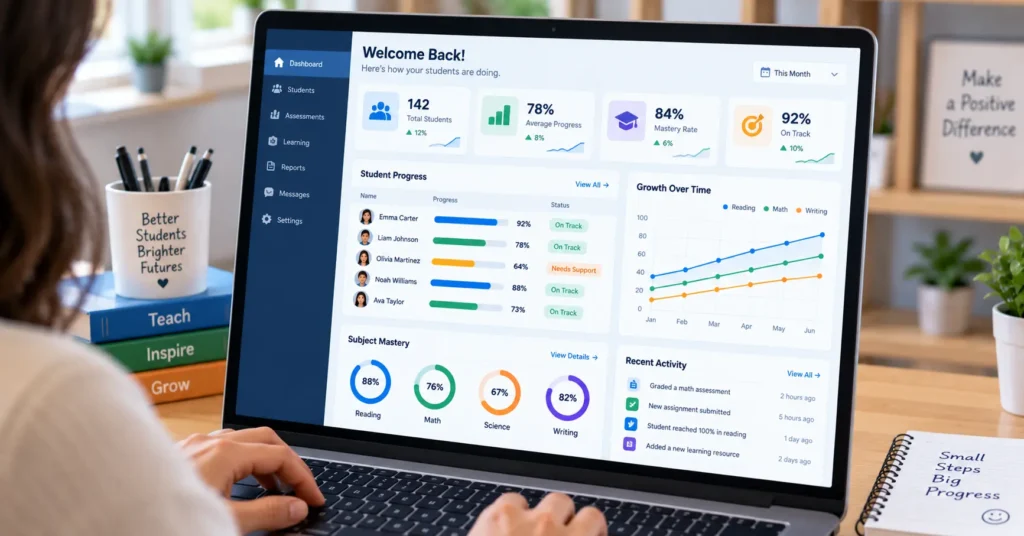
Progress Learning gives teachers and administrators dashboards that show how students are doing in real time. These dashboards turn raw data into simple charts and reports. A teacher can quickly see which students are on track and which ones need more support. This kind of progress monitoring helps schools make decisions based on real data instead of guesswork.
Remediation
When a student struggles with a skill, Progress Learning offers remediation tools to help close that gap. Instead of giving every student the same review, the platform offers targeted support based on each student’s specific weak spots. This helps students catch up without repeating skills they have already mastered.
Interactive Learning
Progress Learning includes interactive learning activities and games to make practice more engaging. These activities are designed to hold student attention and make skill practice feel less like a chore. It is worth noting that games support engagement, but they work best alongside teacher instruction rather than as a replacement for it.
Instructional Resources
The platform also provides instructional resources for teachers to use in the classroom. These include printable worksheets and digital materials that align with the same state standards used in the practice and assessment tools. Teachers can pull these resources to support lessons, homework, or small group instruction. Some teachers also turn printable worksheets into shareable digital flipbooks using tools like Flipsnack, which can make it easier to distribute classroom materials online or through a class website.
| Feature | What It Does |
| Standards-Aligned Practice | Matches practice questions to state learning standards |
| Assessment Builder | Creates custom formative, summative, benchmark, and diagnostic tests |
| Progress Monitoring | Shows student data through dashboards and reports |
| Remediation | Gives targeted support for individual skill gaps |
| Interactive Learning | Uses games and activities to boost engagement |
| Instructional Resources | Offers printable and digital classroom materials |
What Grades and Subjects Does Progress Learning Support?
Progress Learning supports students from kindergarten through Grade 12. It covers all four core subjects: math, ELA, science, and social studies. The platform is split into grade bands, with separate solutions for elementary, middle school, and high school, plus a Liftoff adaptive intervention program for Grades 2 through 8.
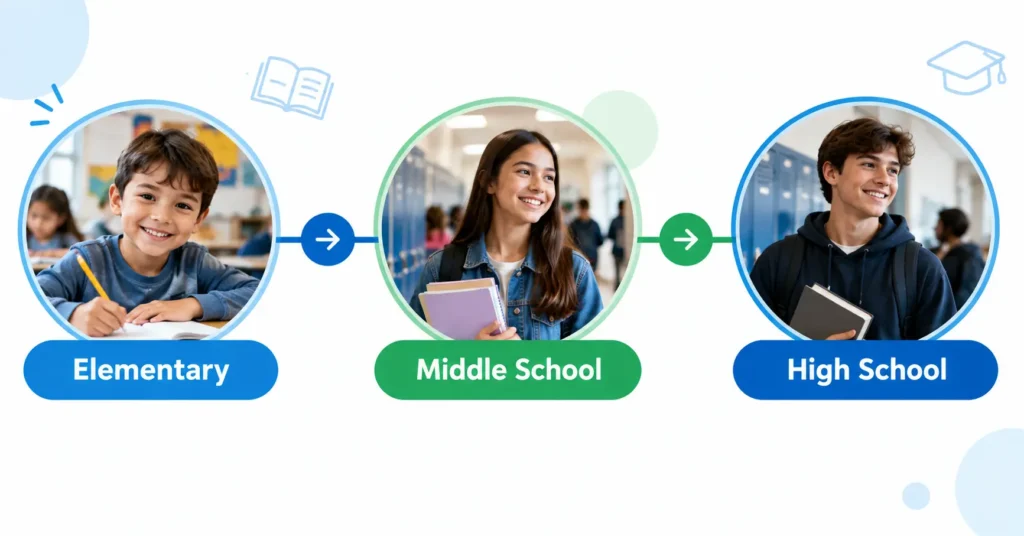
The official platform organizes its offerings this way: Elementary (K-5), Middle School (6-8), High School (9-12), and Liftoff (Grades 2-8).
Each grade band works a little differently. Elementary students use Progress Learning for standards practice, diagnostics, and assessments in a simple, game-based format. Middle school students get standards-aligned practice, formative assessments, and access to the Game Arcade for extra engagement. High school students use the platform for End of Course (EOC) exam prep, along with College and Career Readiness content such as ACT, SAT, AP, ACT WorkKeys, and ASVAB practice.
Liftoff runs alongside Progress Learning for eligible students in Grades 2 through 8. It is an adaptive intervention program for math, reading, and science. Liftoff uses diagnostic data or NWEA MAP scores to find skill gaps, then builds a recovery path so students can catch up while still practicing on-grade-level content in Progress Learning.
| Grade | Main Use |
| K-5 | Foundations, practice, assessment |
| 6-8 | Standards practice, intervention, assessment |
| 9-12 | EOC prep, college and career readiness, test preparation |
| 2-8 | Liftoff adaptive intervention |
How Does Progress Learning Work?
Progress Learning uses assessment and practice data to find out what each student needs, then delivers targeted learning activities to close those gaps. Students work through assigned practice and assessments, while teachers use reports and data to guide instruction and track growth.
How the process works, step by step:
1. Assess
Students take a diagnostic test or benchmark assessment. This gives teachers a starting point for each student’s skill level.
2. Identify needs
Progress Learning reviews the assessment results and points out which standards or skills each student still needs to master.
3. Practice
Students complete standards-aligned practice activities in math, ELA, science, or social studies. Activities are matched to each student’s grade level and skill gaps.
4. Review and remediate
If a student struggles with a topic, the platform assigns remediation activities. Teachers can also choose extra practice for a single student or the whole class.
5. Monitor
Teachers use progress monitoring reports to see how students are doing over time. These reports show mastery by standard, class trends, and individual growth.
6. Adjust instruction
Based on the data, teachers can change lesson plans, group students by need, or assign more targeted practice. This keeps instruction personalized and focused on real gaps.
This cycle repeats throughout the school year, so both students and teachers always have current data to guide learning.
What Is Liftoff in Progress Learning?
Liftoff is Progress Learning’s adaptive intervention program for Grades 2-8. It is built to find learning gaps and give students personalized practice in the exact areas where they need more support. Liftoff focuses on math, reading, and science.
The official platform describes Liftoff as adaptive intervention for math, reading, and science in Grades 2 through 8.

Grades
Liftoff is available for students in Grades 2 through 8. It is mainly used for Tier 2 and Tier 3 students, meaning students who need extra support beyond regular classroom instruction.
Adaptive diagnostics
Liftoff starts with a diagnostic assessment to find each student’s current skill level. Teachers can also import NWEA MAP scores instead of running a new diagnostic. This data shows exactly where a student’s learning gaps are, even if those gaps are below their current grade level.
Personalized paths
Once the diagnostic is complete, Liftoff builds a personalized learning path for each student. The path uses vertical alignment, which means it connects skills across grade levels so students can build up from where they actually are, not just where their grade level says they should be.
Math
In math, Liftoff targets foundational skills and gaps that may be holding a student back from grade level work. Students practice these skills through short, focused activities.
Reading
In reading, Liftoff supports skills like phonics, fluency, and comprehension. This helps students build a stronger reading foundation so they can keep up with grade level texts.
Science
Liftoff also includes adaptive support in science, helping students strengthen core science skills and concepts they may have missed.
Student experience
Liftoff uses a space themed reward system called My Galaxies. Students see topics as rockets. When a student scores 80 percent or higher on a topic, the rocket moves up and the student earns a galaxy star. The goal is to move every rocket to the top of its galaxy.
Difference from regular Progress Learning
Regular Progress Learning supports on grade level practice, assessments, and test preparation for all K-12 students. Liftoff is different because it is built only for below grade level skill recovery in Grades 2 through 8. Many schools use both together. Students work in Liftoff to close skill gaps while also using Progress Learning to keep practicing on grade level standards and prepare for state assessments.
How Do Students Log In to Progress Learning?
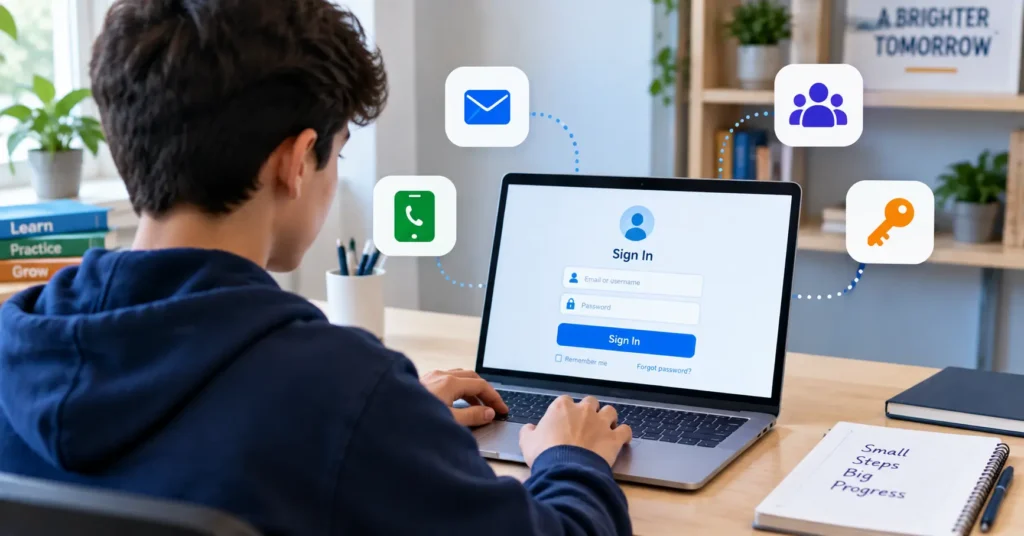
Students can access Progress Learning through a manual login or through school integrations such as Clever, ClassLink, Google, and Canvas. When a school uses Clever or ClassLink for rostering and single sign-on, students can launch Progress Learning from their school portal without entering a separate Progress Learning password.
Login with Clever
If a school rosters through Clever, students do not need a separate Progress Learning password. They log in to their Clever portal, then click the Progress Learning icon on their dashboard. This takes them straight into their account. Students can also start from the Progress Learning login page and choose the Clever option, which redirects them to the Clever portal to finish signing in.
Login with ClassLink
ClassLink works the same way as Clever. Schools that use ClassLink for rostering and single sign-on let students skip the manual login step. Students sign in through their ClassLink portal and select the Progress Learning icon to enter the platform. This keeps one login for all their school tools, including Progress Learning.
Login with Google
Students whose accounts are connected to Google Classroom can use the Sign in with Google button on the Progress Learning login page. The student must already be logged in to their Google account in the browser. After clicking the button, they select Login as Student, then choose the correct Google account linked to their Progress Learning account.
Login with Canvas
Students connected through Canvas can use the Sign in with Canvas button. After clicking it, the student selects Authorize, which confirms the connection and logs them into Progress Learning. This method works well for schools that already manage classes and assignments inside Canvas.
Manual Login
Students without Clever, ClassLink, Google, or Canvas access can log in manually. They go to app.progresslearning.com/login and enter three things: their school’s Account ID, their username, and their password. There is no student app, so Progress Learning must be accessed through a web browser such as Chrome, Firefox, or Safari, on any device with an internet connection. Students who forget their login details should ask their teacher, since Progress Learning support recommends a password reset rather than sending login info by email.
For step by step screenshots and troubleshooting tips, see the complete Progress Learning login guide.
What Subjects Does Progress Learning Cover?
Progress Learning covers four core K-12 subjects: math, English language arts (ELA), science, and social studies. Each subject is standards-aligned, which means the practice questions and assessments match what each state expects students to learn. Content also shifts by grade level, so a third grader and a tenth grader see different math or ELA content, even though both fall under the same subject area.
Math
Students use Progress Learning for math practice, formative and summative assessments, and remediation. Topics grow more advanced by grade level, from basic number sense in elementary school to Algebra I, Geometry, and other high school math standards.
ELA
English language arts content covers reading, language skills, writing, and assessment.
Science
Science coverage includes standards practice and assessment. Content follows state science standards and adjusts as students move up in grade level.
Social Studies
Social studies content includes standards practice and assessment across topics like history, government, geography, and economics, depending on grade level and state standards.
| Subject | Main Uses |
| Math | Practice, assessment, remediation |
| ELA | Reading, language, assessment |
| Science | Standards practice and assessment |
| Social Studies | Standards practice and assessment |
How Does Progress Learning Help Teachers?
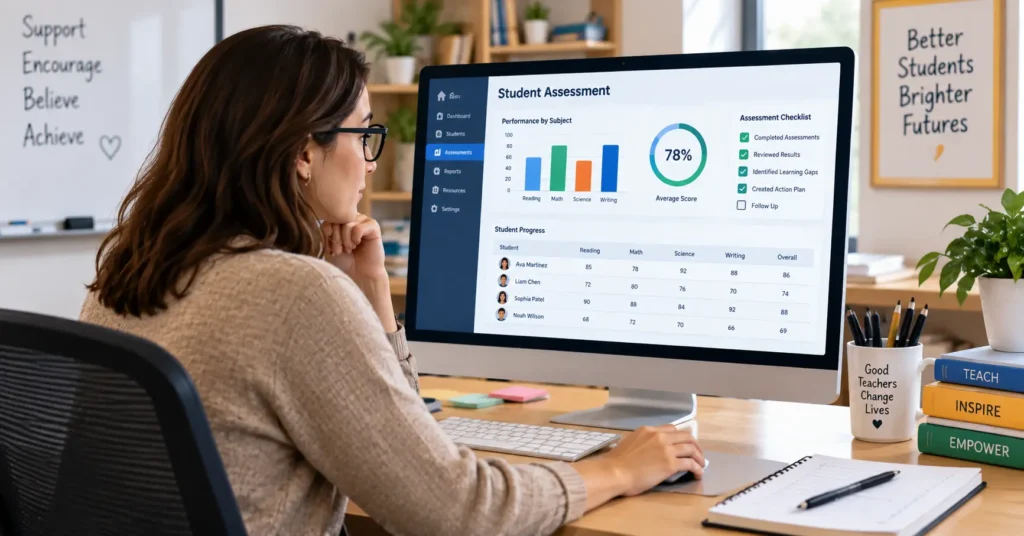
Progress Learning gives teachers tools for creating assignments and assessments, monitoring student performance, identifying skill gaps, and assigning targeted practice. Its reporting tools are designed to help educators use assessment results when planning instruction.
- Assignment creation: Teachers can build assignments in just a few clicks using Progress Learning’s item bank of over 200,000 standards-aligned questions. Assignments can include practice questions, instructional videos, and bell ringer warm-ups, and can be sent to a single student, a small group, or a whole class.
- Assessment Builder: The Assessment and Assignment Builder lets teachers create formative and summative assessments, mock tests, and pre-built assessments for state and national exams like the ACT and SAT. Teachers can choose from 47 different item types and filter questions by standard, domain, or skill level to match exactly what their class needs.
- Student reports: Teachers can view individual student reports that show mastery by standard, growth over time, and results on specific assignments or assessments. This makes it easy to spot which students need extra support.
- Class reports: Reports also roll up to the class and school level, so teachers and administrators can compare performance across classrooms, track school wide trends, and see which standards need more instructional time.
- Remediation: Progress Learning includes a quick click remediation tool. Based on assessment results, teachers can assign targeted practice on up to three standards for an individual student or an entire class, helping close specific skill gaps without extra planning time.
- Data use: All of these reports feed into instructional planning. Teachers can use real time data to adjust lesson plans, group students by need, and decide where to focus classroom time next.
- Resource Center: The Resource Center is available from an icon on every page of the platform. It gives teachers quick access to help guides, training materials, and instructional resources, along with a way to send feedback or ask questions directly inside Progress Learning.
What Does Progress Learning Cost?
Progress Learning uses school and campus based pricing rather than a single, public per-student price. Cost depends on the size of the campus, and schools receive exact pricing through a custom quote from Progress Learning.
Progress Learning’s official pricing model is based on campus size, not a flat per-student fee that applies to every school. This means two schools of different sizes will likely pay different amounts, even for the same subjects or features.
Official pricing tiers
| Campus size | Student count |
| Extra Small | Under 100 |
| Small | 100 to 250 |
| Medium | 250 to 500 |
| Large | 500 to 1,000 |
| Extra Large | 1,000 or more |
As campus size grows, the price per student generally goes down. Progress Learning’s official site also notes that district wide discounts may be available for schools that purchase across multiple campuses.
Because pricing depends on campus size, subject selection, and grade level coverage, Progress Learning does not publish one set price on its website. Schools and districts interested in exact costs need to request a custom quote directly from Progress Learning.
Is Progress Learning Effective?
Independent research gives promising evidence for Progress Learning in math, reading, and science. Evidence for ESSA, an independent group that reviews education programs against federal ESSA evidence standards, currently rates Progress Learning as Promising in all three subjects. A Promising rating means a study found a positive, statistically meaningful result, but the study design was not a full randomized controlled trial.
Math and Reading: The Douglas County Study
The strongest piece of independent research on Progress Learning comes from a study of the Douglas County School System in Georgia, indexed in ERIC and conducted by the Center for Research and Reform in Education (CRRE) at Johns Hopkins University. Middle school teachers in Douglas County could choose whether to use Progress Learning in their classrooms. Teachers who opted in became the treatment group, and teachers who did not use the platform became the comparison group. Researchers tracked student growth from spring 2022 to spring 2023 on Georgia Milestones math and ELA scores.
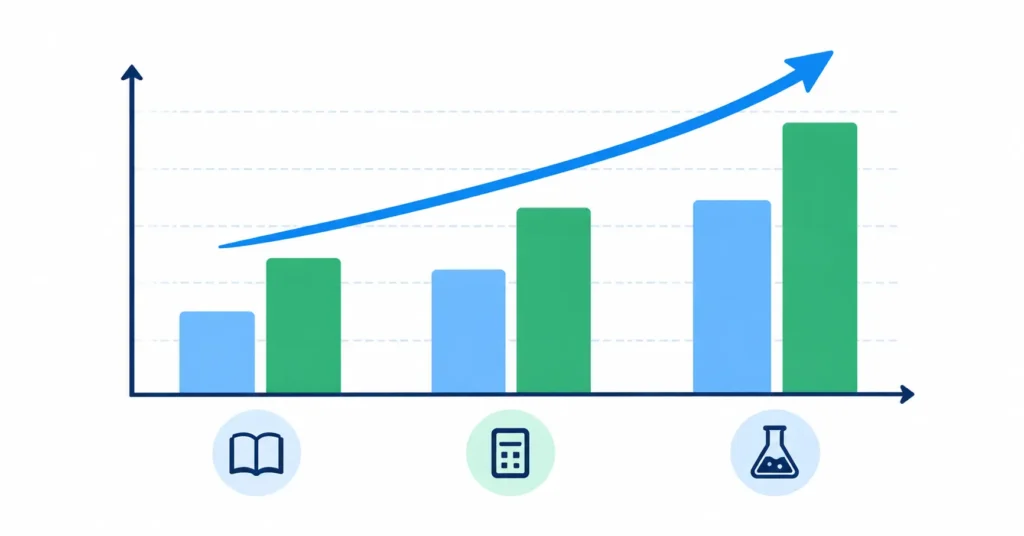
Students whose teachers used Progress Learning showed significantly higher growth on Georgia Milestones Mathematics scores, with an effect size of positive 0.09. The reading portion included 4,268 students in Grades 6 through 8, with an average effect size of positive 0.06 on Georgia Milestones ELA scores.
The study also tracked real usage data, not just test scores. On average, students completed about 8 math assignments and about 8.5 ELA assignments over the course of the study, with average activity scores landing around 60 to 65 percent. This usage detail helps answer a question that test scores alone cannot: how much practice did it actually take to see a benefit.
Science: The Forney ISD Study
In science, Progress Learning earned a Promising rating based on a study in Forney Independent School District in Texas. The study included 1,178 Grade 5 students and found an effect size of positive 0.12 on STAAR science scores, along with a similar positive effect on NWEA MAP science scores.
Limitations of the Research
These results come with real limits worth naming clearly.
- The studies use a quasi-experimental design, sometimes called a matched comparison study. Researchers compared similar groups of students rather than randomly assigning students to each group, so the evidence cannot prove cause and effect as strongly as a randomized controlled trial can.
- In the Douglas County study, teachers chose whether to use Progress Learning rather than being randomly assigned, so the treatment and comparison groups may have started out different in ways the study could not fully control for.
- The Douglas County study covers one district, one school year, and middle school grade levels, so results may not generalize to every school, subject, or grade band.
- Average activity scores around 60 to 65 percent suggest that many students were still working through content rather than mastering it outright, which is worth factoring into how the score gains are interpreted.
Schools and districts should treat these results as promising, real-world evidence, not as final proof that Progress Learning alone caused the score gains.
What’s New in Progress Learning in 2026?
Progress Learning released a major product update for the 2026 to 2027 school year, adding new tools for teachers, students, and families. The update covers a platform redesign, AI powered question writing, more flexible assignment scheduling, a refreshed K-1 experience, and a new Proctor Mode for secure testing.
AI-Assisted Authoring
Teachers can now generate standards aligned assessment questions in seconds using AI-Assisted Authoring. A teacher selects the subject, domain, standard, and depth of knowledge level, then enters a prompt to create a draft question. Teachers can edit and fine tune each AI generated question before adding it to an assessment, and these questions can be combined with Progress Learning’s existing item bank of more than 200,000 questions.
Platform Redesign
Progress Learning refreshed its user interface with a modernized, more intuitive layout. The redesign simplifies daily navigation for teachers while making the platform easier to use for students, including early elementary learners. The core tools and workflows teachers already know stay familiar, even with the updated look.
Assignment Scheduling
Assignment scheduling has expanded to cover all digital activity types on the platform. Teachers can now set optional start and end times for assignment access windows, choose active start dates and due dates for any assignment, and customize timelines for individual activities within a single group assignment. This gives teachers more control over pacing and supports differentiated instruction.
K-1 Student Redesign
Progress Learning is rolling out a refreshed experience for K-1 students, its youngest learners. Updates include a simpler, more engaging homepage, unique icons on each Study Plan tile to support early readers and non readers, and a more consistent layout across practice activities. These changes are meant to help young students navigate the platform more independently.
Proctor Mode
As schools prepare for the 2026-27 school year, Progress Learning is introducing Proctor Mode, a new feature built to protect the integrity of assessments and classroom activities. Proctor Mode works inside a standard web browser, so there is no software to download or install. When enabled, a student’s assessment opens in a secure, full screen mode. If the student tries to exit full screen or switch to another window, the assessment locks immediately. Teachers can unlock a locked session through Live Monitoring or with a custom four digit PIN, and a monitoring dashboard lets teachers watch testing sessions in real time.
Why this update matters: Many older articles about Progress Learning only describe features from 2025 or earlier. Covering AI-Assisted Authoring, the platform redesign, expanded assignment scheduling, the K-1 redesign, and the newly introduced Proctor Mode gives readers a current, accurate picture of the platform heading into the 2026-27 school year, rather than outdated feature information.
What Are the Pros and Limitations of Progress Learning?
Progress Learning has clear strengths for schools and districts, but it also has real limits worth understanding before adopting it. Looking at both sides gives a fuller, more honest picture than a simple feature list.
Potential strengths
K-12 coverage
Progress Learning supports students from kindergarten through Grade 12. This wide grade level range means a district can use one platform across elementary, middle school, and high school, instead of piecing together separate tools for each grade band.
Multiple core subjects
The platform covers all four core subjects: math, ELA, science, and social studies. Having one platform for all four subjects can simplify training, reporting, and classroom setup for teachers and administrators alike.
Standards alignment
Progress Learning’s content is standards aligned to each state, which means practice questions and assessments reflect what students are actually expected to learn and be tested on. This alignment helps keep classroom instruction connected to state testing requirements.
Assessment tools
The Assessment and Assignment Builder gives teachers a large item bank, 47 different item types, and the ability to build custom formative and summative assessments. This flexibility supports everything from quick classroom checks to full mock exams for state testing.
Progress monitoring
Detailed reporting tools let teachers and administrators track standards mastery, growth over time, and performance at the student, class, and school level. This kind of data driven insight makes it easier to spot which students need extra support.
Adaptive intervention
Liftoff, Progress Learning’s adaptive intervention program, uses diagnostic data to build personalized learning paths for students who are below grade level. This targeted approach to remediation can help close specific skill gaps in math, reading, and science.
School integrations
Progress Learning integrates with Clever, ClassLink, Google Classroom, and Canvas, along with Schoology. These integrations support single sign-on and simplify rostering, so students and teachers do not need a separate login for every platform.
Independent evidence
Progress Learning has been reviewed by independent groups, including Evidence for ESSA, and studied in real school district settings such as Douglas County, Georgia and Forney ISD in Texas. This independent research gives schools more to go on than marketing claims alone.
Limitations to consider
Pricing requires a quote
Progress Learning does not publish a single, fixed price. Cost depends on campus size, subjects purchased, and grade level coverage, so schools need to request a custom quote to get exact numbers. This can make quick budget comparisons harder for smaller schools or self-pay teachers.
Built primarily for school and district use
The platform is designed around school and district level rostering, licensing, and administration. While individual teachers can use a free account with limited features, or self-pay for a fuller subscription, Progress Learning is not built as a simple consumer product for a single family working independently.
Research evidence is promising, not definitive
Independent studies have earned Progress Learning a Promising rating in math, reading, and science from Evidence for ESSA. These are quasi experimental studies, not randomized controlled trials, so they show a positive pattern rather than strong proof of cause and effect. Schools should treat this evidence as encouraging, not as a guarantee of results.
Liftoff only covers Grades 2-8
Liftoff, the adaptive intervention program, is only available for students in Grades 2 through 8. Students in kindergarten, Grade 1, or high school do not have access to this specific below grade level intervention tool, even though they can still use the standard Progress Learning platform.
Supplemental, not a full curriculum replacement
Progress Learning is designed to supplement classroom instruction, not replace a school’s core curriculum. It provides standards aligned practice, assessments, remediation, and test preparation, but schools still need a primary curriculum for daily classroom teaching. Districts considering Progress Learning should plan for it as an added layer of support, not a standalone instructional program.
Who Is Progress Learning Best Suited For?
Progress Learning is best suited to K-12 schools and districts that need standards-aligned practice, assessment, progress monitoring, intervention, and test preparation in one platform. Different groups within a school use its tools in different ways, from elementary students all the way up to high school students and their teachers.
Because Progress Learning covers all K-12 grade levels and four core subjects, it fits into many different roles inside a school or district. The table below breaks down who typically uses the platform and why.
| User | Why they may use it |
| Students | Practice and assignments |
| Teachers | Assessments and progress monitoring |
| Interventionists | Targeted support |
| Administrators | School and district reporting |
| Districts | Standards-aligned supplemental resources |
Students use Progress Learning for independent practice, teacher assigned homework, and test preparation. Younger students in K-5 often engage with built-in games and rewards, while students in Grades 6-12 have access to the Game Arcade and more advanced content, including college and career readiness practice.
Teachers rely on the platform’s Assessment and Assignment Builder to create formative and summative assessments, track standards mastery, and monitor student growth. Progress monitoring reports help teachers quickly see which students need remediation and adjust instruction based on real data.
Interventionists and educators supporting Tier 2 and Tier 3 students often use Liftoff, Progress Learning’s adaptive intervention program for Grades 2 through 8. Liftoff identifies below grade level skill gaps in math, reading, and science, then builds a personalized learning path to help students catch up.
Administrators use school and district level reporting to compare performance across classrooms and campuses, track standards mastery trends, and support school improvement planning. Features like Subgroup Data Reporting and Teacher Dot Rank give administrators a wider view of how instruction is going across a school or district.
Districts turn to Progress Learning as a supplemental resource that supports state testing preparation, standards alignment, and remediation across all four core subjects. Since the platform integrates with Clever, ClassLink, Google Classroom, and Canvas, districts can roll it out without creating separate logins for every student and teacher.
Frequently Asked Questions
1. How do students log in to Progress Learning?
Students can log in manually with their school’s Account ID, username, and password, or use supported school integrations such as Clever, ClassLink, Google, and Canvas. Schools that use single sign-on let students skip the manual login step entirely.
2. Can I access Progress Learning through Clever?
Yes. Progress Learning supports Clever Instant Login and Secure Sync. Students at participating schools can launch Progress Learning directly from their Clever dashboard without entering a separate password.
3. What grades does Progress Learning support?
Progress Learning provides solutions across K-12, covering elementary, middle school, and high school grade bands. Its Liftoff adaptive intervention program is designed specifically for Grades 2-8 for students who need extra support.
4. Is Progress Learning free?
Progress Learning’s school pricing is quote-based and organized around campus size rather than a flat rate. The official site does not present a simple universal free student subscription, so schools and districts need to request a custom quote for exact costs.
5. What is Liftoff in Progress Learning?
Liftoff is an adaptive intervention program for Grades 2-8 that helps identify and address learning gaps in math, reading, and science. It uses diagnostic data to build a personalized learning path so students can catch up while working below their current grade level.
6. Is there research showing Progress Learning works?
Yes. Evidence for ESSA currently rates Progress Learning as Promising in math, reading, and science. The available evidence includes quasi-experimental studies, meaning researchers compared similar groups of students rather than randomly assigning them, so the results should be interpreted with appropriate limitations.