Free Lesson Plan Template (Word, Google Docs, PDF & Print)
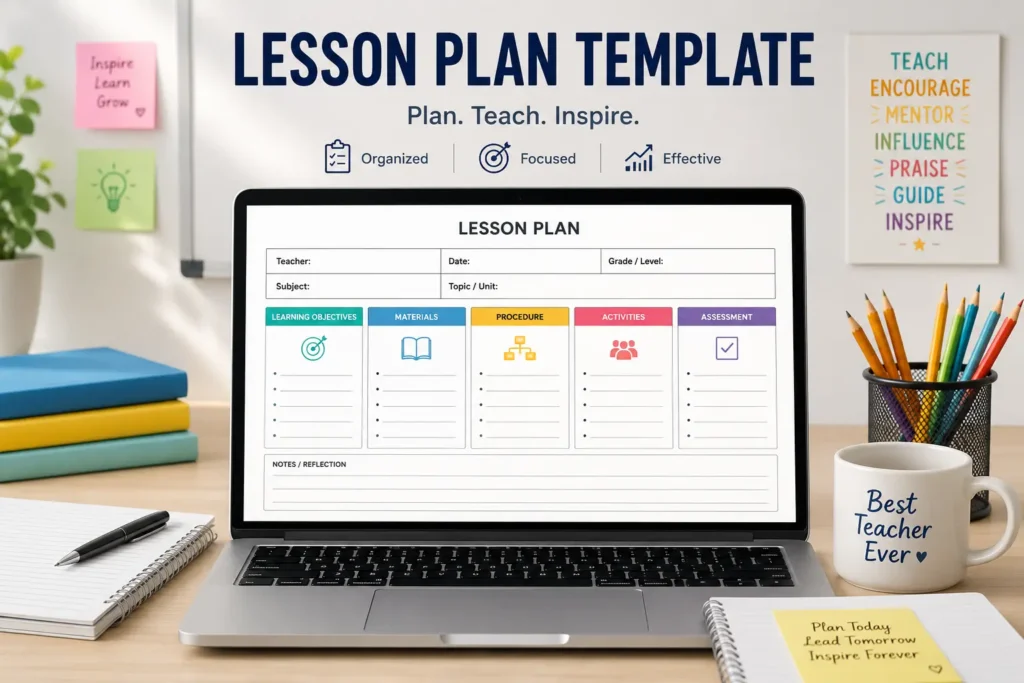
A lesson plan template is a reusable, fill-in framework. It holds your objectives, materials, procedure, assessment, and reflection in one place. The best ones come as an editable lesson plan template in Word, Google Docs, PDF, or print. They also come in daily, weekly, and unit styles. Pick the format and type that fit your week, download or copy it, and fill in each part before you teach.
Planning takes a big part of your week. In the United States, teachers get only about 4.4 hours of set planning time each week, and nearly half get 3 hours or less. Public school teachers get around 53 minutes a day to plan, which is just under 4.5 hours a week. Yet the typical teacher still works close to 54 hours. A free lesson plan template gives some of that time back. It hands you a clear layout, so you can stop formatting and start teaching. Below you can grab a ready-to-use, editable template in Word, Google Docs, PDF, or print. There are daily, weekly, and unit versions, plus a quick guide to fill in each part.
Free Lesson Plan Templates (Download or Copy)
Grab a template right now. Each one is free, and you do not need an account. Just pick your format and start. You can download it, copy it to your own drive, or print it and write by hand.
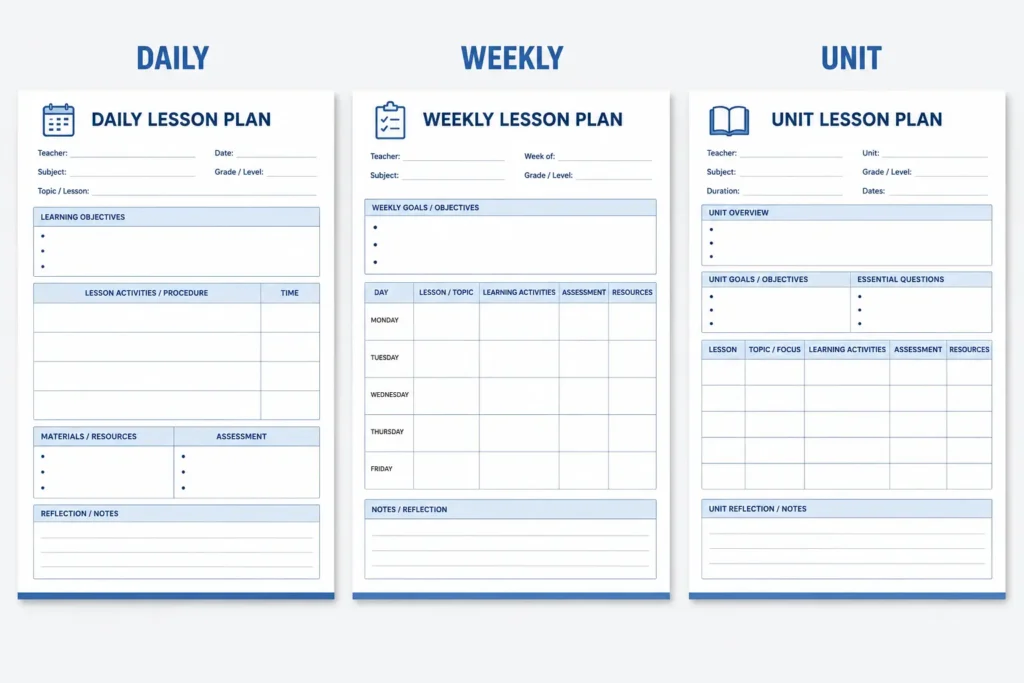
Daily Lesson Plan Template
[Download Word] · [Copy to Google Docs] · [Download PDF] · [Print]
Weekly Lesson Plan Template
[Download Word] · [Copy to Google Docs] · [Download PDF] · [Print]
Unit Lesson Plan Template
[Download Word] · [Copy to Google Docs] · [Download PDF] · [Print]
Each CleverPortal template is easy to edit. Type right into the fields, save your work, and share it with your team. Want a plainer layout? Try the simple lesson plan template further down the page. Every version follows the same clear order, so once you learn one, you can use them all.
Which Lesson Plan Template Should You Use?
Pick your template by how far ahead you plan and the format you like. A daily lesson plan template covers one lesson at a time with full detail. A weekly lesson plan template shows all five days at a glance. A unit template maps a topic that runs for many weeks. Choose Word or Google Docs if you edit a lot. Choose PDF or print for a fixed copy you can use right away.
Here is a quick way to choose:
| Template type | Best for | Formats | Detail level |
| Daily | One lesson at a time | Word, Google Docs, PDF, print | High |
| Weekly | A full week in one view | Word, Google Docs, PDF, print | Medium |
| Unit | A multi-week topic (scope and sequence) | Word, Google Docs, PDF, print | High |
| Simple / one-page | Fast, routine lessons | Word, Google Docs, PDF, print | Low |
Think about your own week before you choose. If your school asks for a detailed plan each day, the daily version is best. If you like to see the whole week at once, the weekly version fits you well. If you teach a topic that lasts a month, the unit version keeps your scope and sequence clear. Not sure which method fits your class? Browse the different lesson plan approaches to match a template to your teaching style.
Lesson Plan Template Formats: Word, Google Docs, PDF & Print
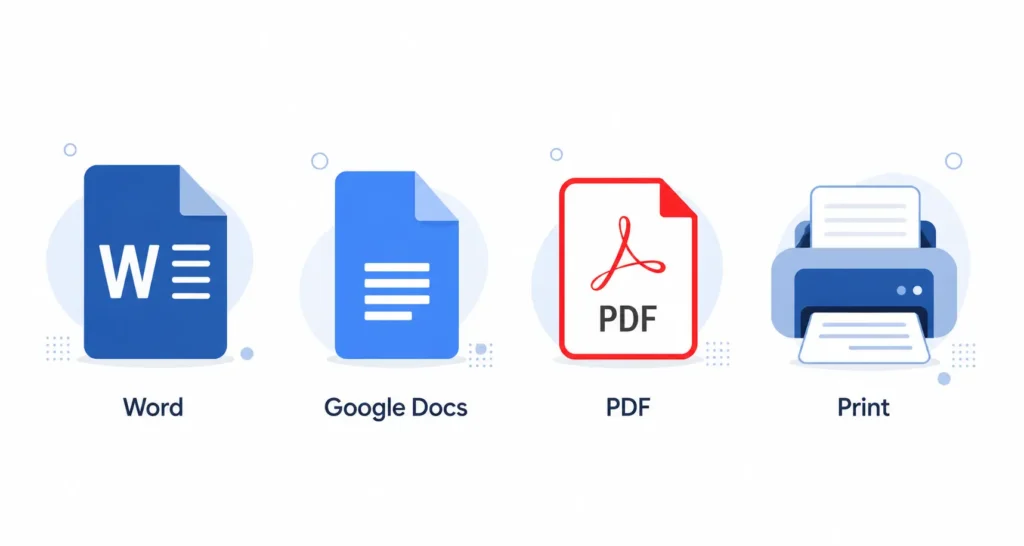
Every teacher works in a different way. That is why each template comes in four formats. Here is when to use each one.
- Word: Best if you want a lesson plan template Word file you can edit offline and reuse. It works well on a school laptop, and you can save many copies.
- Google Docs: Best if you want a lesson plan template Google Docs copy you can edit online and share fast. It saves on its own and lets your team leave notes.
- PDF: Best if you want a clean, fixed page. Use the lesson plan template PDF to print or send just as it is.
- Print: Best if you like to write by hand. Print the page and keep it on your desk or in a binder.
Many teachers already find their materials online, on sites like Google and Teachers Pay Teachers. An editable, shareable template fits right into that habit. You can start with our layout and change it to match your school’s needs.
Which format saves the most time?
If you plan on a computer, Word and Google Docs are the fastest. You can copy last week’s plan and swap in new details. If you like a paper copy on your desk, the PDF and print options work best. Many teachers keep one digital version to edit and one printed version to follow during class. Ready to grab yours? Use the download or copy buttons in the section above.
What Are the Parts of a Lesson Plan Template?
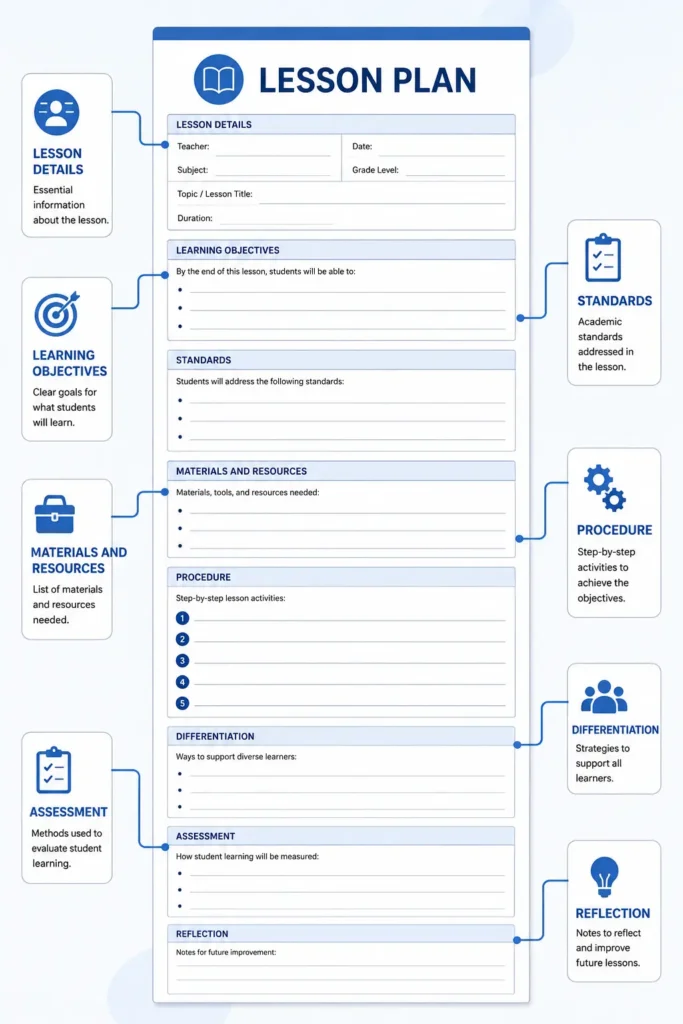
A standard lesson plan template has a few key parts. Each part has a job. Together they make sure every lesson has a clear goal, a smooth flow, and a way to check learning.
Here are the main parts you will see:
- Lesson details: Subject, grade, date, and how long the lesson will run.
- Learning objectives: What students should be able to do by the end. Write these as SMART goals so they are clear and easy to measure.
- Standards alignment: The standard the lesson meets, such as a curriculum standard.
- Materials and resources: Everything you need, like handouts, tools, or links.
- Lesson procedure: The steps of the lesson, from the hook to direct instruction, guided practice, independent practice, and lesson closure.
- Differentiation: How you will help students at different levels.
- Assessment: How you check learning, using both formative assessment during the lesson and summative assessment at the end.
- Reflection: A quick note after the lesson on what worked and what to fix.
Why each part matters
The objective is the heart of the plan. Everything else should point back to it. The materials and resources list keeps you ready, so you are not searching for a handout in the middle of class. The lesson procedure gives your class a clear flow, which helps students stay on track. The assessment tells you if the lesson worked, and the reflection helps you make the next one better. When all the parts line up, your lesson feels smooth and your students know what to do. Want more depth on each part? See our guide to the components of an effective lesson plan.
How to Fill Out a Lesson Plan Template (Step by Step)
Fill the template in order so your lesson stays on track. Start with the goal, then build the rest around it. This is called backward design. It keeps the whole lesson pointed at what you want students to learn.
Follow these steps:
- Write a clear objective. Use a SMART goal. Say what students will do and how you will know they did it. Action verbs from Bloom’s taxonomy, like “explain” or “compare,” make the goal easy to measure.
- List the standards. Add the standard your lesson meets, so your plan lines up with your curriculum.
- Gather your materials. Note every tool and handout in your materials and resources list so nothing is missing.
- Map the procedure. Plan the flow from the hook, to direct instruction, to guided practice, to independent practice, and end with a clear lesson closure.
- Plan your differentiation. Add one or two ways to support students who need it, such as extra time or a simpler task.
- Pick a check for learning. Choose a quick formative assessment during the lesson, and a summative assessment for the end.
- Reflect after class. Write a short note on what to keep and what to change.
A quick example
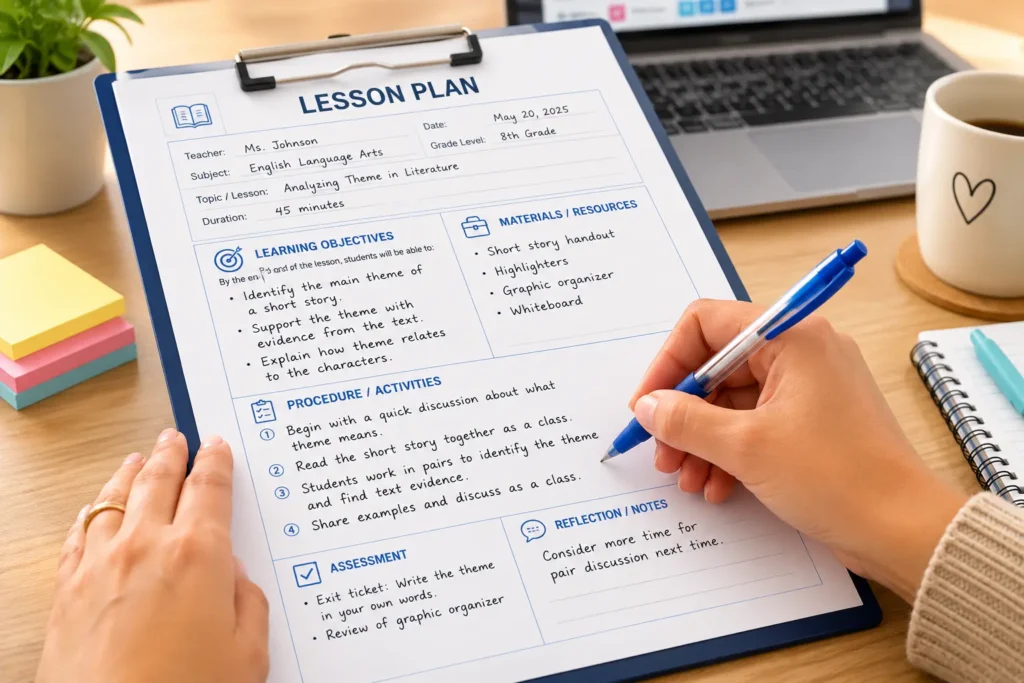
Say you teach a fifth-grade reading lesson. Your objective might be: “Students will explain the main idea of a short story.” Your standard lines up with your reading curriculum. Your materials are the story and a worksheet. Your procedure starts with a quick hook, moves to direct instruction, then guided practice as a class, and ends with independent practice where students write the main idea on their own. Your formative assessment is a quick thumbs-up check, and your summative assessment is the worksheet. After class, you reflect and note that students needed more time on independent practice. That one note makes next week’s plan better. For the full method behind these steps, see our step-by-step lesson planning process.
Why Use a Lesson Plan Template? (Time-Saving Benefits)
A reusable template saves time, keeps your lessons steady, and makes sure you never skip a key part. That matters, because planning eats up your week. On average, teachers spend about 6.5 hours a week on planning and lesson prep, which is about 17 percent of their work time. On top of that, many spend around 12 more hours a week just looking for and making materials. In some places, 40 percent of full-time teachers spend 10 or more hours a week on lesson planning alone.
A ready-made template helps in clear ways:
- Saves planning time. You skip the formatting and jump straight to the lesson.
- Keeps lessons consistent. Every lesson follows the same clear layout.
- Nothing gets missed. The fields remind you to add objectives, assessment, and more.
- Easy to reuse and share. Save one strong template and use it again all year.
Plan as a team to save even more
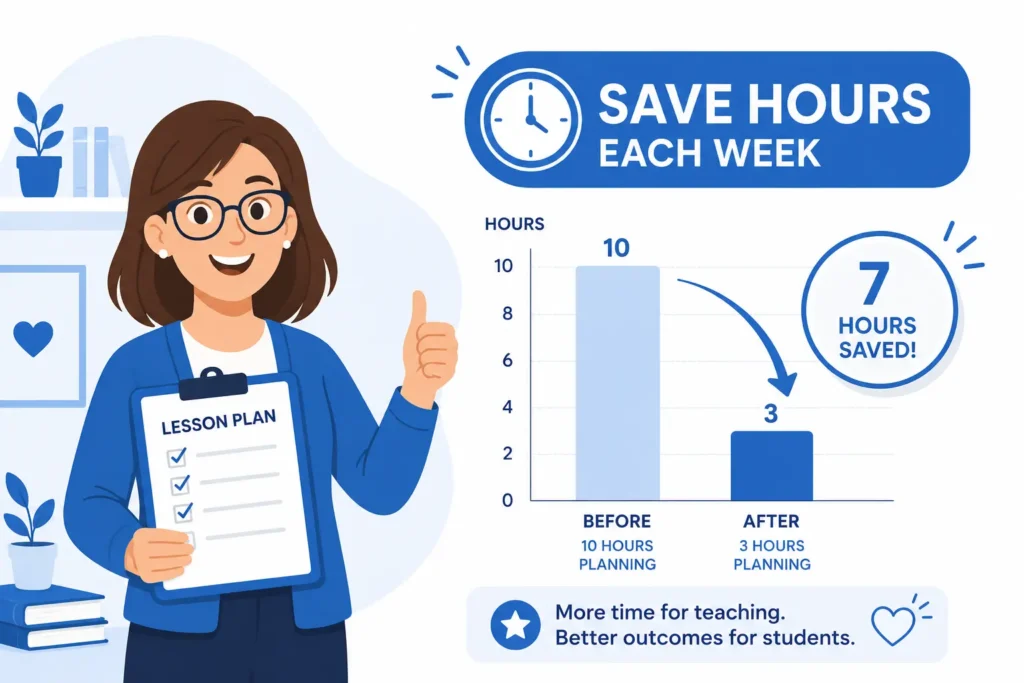
You do not have to plan alone. Teachers who plan and share as a team can cut planning time by 30 to 40 percent. A shared template makes this easy. One teacher fills in the plan, and the rest of the team can copy it and change small parts for their own class. This works well with a Google Docs version, since your team can all edit the same file. Want the full picture on planning well?
Specialized & Grade-Level Templates (Preschool, Weekly, Subject-Specific)
Some classes need a special layout. These template styles cover common needs, so you can find the right fit fast.
- Preschool lesson plan template: A simple, printable layout for early learners. It leaves room for play, songs, and short activities.
- Weekly lesson plan template: A single page that lays out all five days. Great for seeing the whole week at once.
- Subject-specific template: A layout built for one subject, like a version for English teachers with space for reading and writing tasks.
- Simple one-page template: A short, clean sheet for quick, routine lessons.
Match the template to your grade and subject
A preschool teacher needs space for hands-on play, so a picture-based layout works best. An English teacher may want room for a reading task, a writing task, and new words. A math teacher may want space for a warm-up and practice problems. You can start with any template on this page and add the fields that fit your grade and subject. Teaching in a hands-on, student-led way? A constructivist lesson plan is a helpful example of a specialized style.
Common Lesson Planning Mistakes to Avoid
A template helps most when you fill it in the right way. Here are common slips to watch for, and quick fixes for each.
- Vague objectives. If your goal is not clear, the lesson can drift. Fix it by writing a SMART goal with an action verb from Bloom’s taxonomy.
- Skipping the assessment. Without a check, you do not know if students learned. Fix it by planning a quick formative assessment and a summative assessment.
- Over-planning routine lessons. You do not need a long plan for every class. For a simple lesson, a simple lesson plan template is enough.
- No differentiation. Every class has a mix of levels. Add one or two support ideas so all students can take part.
- Forgetting to reflect. A short note after class is easy to skip, but it makes your next plan stronger.
Small changes like these make a big difference. The template already leaves space for each of these parts, so you just have to fill them in.
How AI Tools Can Speed Up Your Planning
More teachers now use AI tools to help plan. In one survey, 34 percent of teachers used AI for at least one work task each week, and lesson planning was a top use. Teachers who used AI tools weekly gained close to six extra hours a week.
Here is a simple way to use AI with your template. Ask a tool like ChatGPT to draft an objective, a few activities, or a set of practice questions. Then paste the parts you like into your Word or Google Docs template. Always read the output first and change it to fit your class. The template keeps your plan organized, and the AI tool gives you a fast first draft. Together they can turn a long Sunday planning session into a short one.
Get Your Free Template
Download the template that fits your week and start planning your next lesson in minutes. Choose a daily, weekly, or unit style in Word, Google Docs, PDF, or print. Fill in your objectives, add your materials and resources, map your procedure, and plan your assessment. For the full method behind the template, see our complete lesson planning guide.
[Download Word] · [Copy to Google Docs] · [Download PDF] · [Print]
Frequently Asked Questions
What are the 5 basic parts of a lesson plan?
The five core parts are learning objectives, materials and resources, activities or procedure, assessment, and reflection or wrap-up. Together they show what students will learn, how the lesson runs, and how you will measure success.
What is a basic lesson plan format?
A basic format lists the lesson details at the top. Then it shows objectives, materials, a step-by-step procedure with a hook, instruction, practice, and closure, followed by assessment and a reflection section. It usually fits on one page.
Where can I get a free editable lesson plan template?
You can download a free lesson plan template in Word, Google Docs, PDF, or print right from this page. You do not need an account. Pick the format that fits your workflow and edit it as needed.
What is the difference between a daily, weekly, and unit template?
A daily template details one lesson. A weekly template maps a full week at a glance. A unit template plans a multi-week topic in a clear scope and sequence. Pick the one that matches how far ahead you plan.
Can I use a lesson plan template in Google Docs?
Yes. Open the Google Docs version, make a copy to your own Drive, and edit it right there. It saves on its own and is easy to share with other teachers.
Can ChatGPT or AI tools help fill in a lesson plan template?
Yes. AI tools can draft objectives, activities, and assessments that you paste into the template. Studies show AI-assisted planning can cut weekly planning time by a few hours. Always check the output for accuracy and fit before you use it.
How long should a lesson plan be?
For routine lessons, a short one-page template is plenty. Detailed or observed lessons may need more room. Focus on a clear objective and a matching assessment, not on length.
Is a template better than writing a plan from scratch?
For most lessons, yes. A template saves time and keeps your plan consistent. Writing from scratch can help for a brand-new topic, but even then a template gives you a strong starting point.