What Is ERP? Meaning, Systems, Modules, Financials, Cloud Solutions, and School Portals
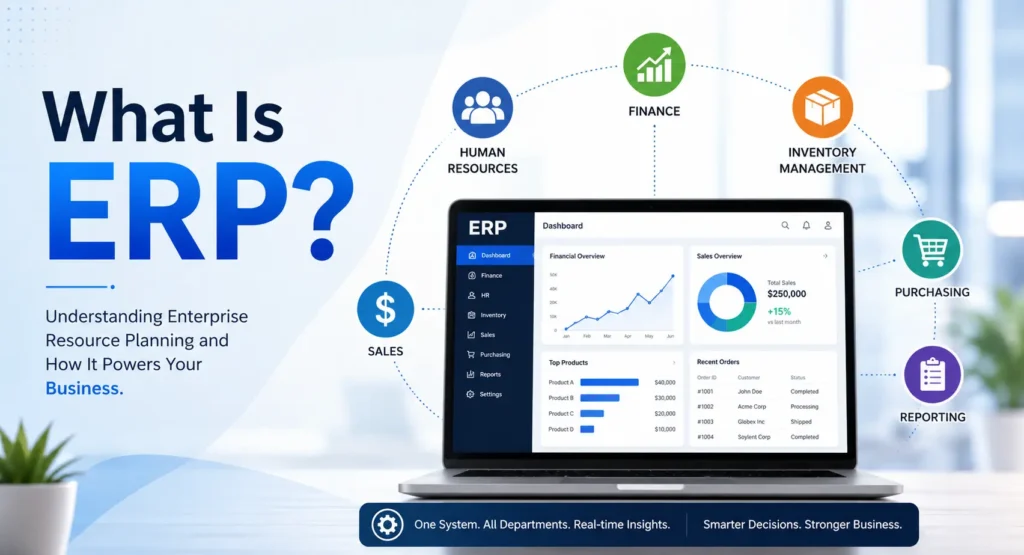
ERP stands for enterprise resource planning. It is software that connects different processes (like HR, finance, and operations) into one shared system. While businesses use it for corporate management, schools use ERP systems to connect student records, attendance, fees, and parent communication in one place. Understanding this term helps you know how organizations and schools manage their daily tasks.
Did you receive an email from your child’s school mentioning an “ERP portal”? Or maybe you saw the acronym at work and wonder what it means? You are not alone. “What is ERP?” is a very common question for parents, students, and new employees.
Technology changes very fast. Schools and businesses use many new computer programs to organize their work. When they talk about these programs, they often use confusing acronyms. This can make parents and teachers feel lost. We believe technology should be easy to understand for everyone.
This guide is here to help. We promise to explain this acronym in plain and simple English. We will cover how the system works and the difference between ERP and basic accounting tools.
Most importantly, we will explain exactly what this means in a school setting. By the end of this article, you will understand what this technology does. You will also know how it helps teachers, parents, and students stay connected every single day.
What Does ERP Stand For?
ERP stands for enterprise resource planning. It is a type of business management software that integrates core processes like finance, human resources, procurement, and operations into one centralized system so an organization can run smoothly.
To really understand the ERP meaning, it is helpful to look at each word one by one.
- Enterprise: An enterprise simply means a large organization or a business. A local store is an enterprise. A giant global company is an enterprise. A school district is also an enterprise. Every enterprise has many moving parts and many people to manage.
- Resource: A resource is anything the organization needs to operate. In a business, resources are money, materials, and employees. In a school setting, resources include teachers, classrooms, textbooks, and school buses. Time is also a very important resource.
- Planning: Planning means organizing all these resources so nothing gets lost, wasted, or forgotten. If a school does not plan its resources, a teacher might not have enough desks for their students.
When you put it all together, enterprise resource planning is a smart way to organize everything a large group does. Long ago, people used giant paper files to track all these details. Later, they used basic computer spreadsheets. Today, they use a centralized database. This means all the information lives in one secure, digital place. When information is shared easily, the whole organization works better.
How an ERP System Connects Departments?
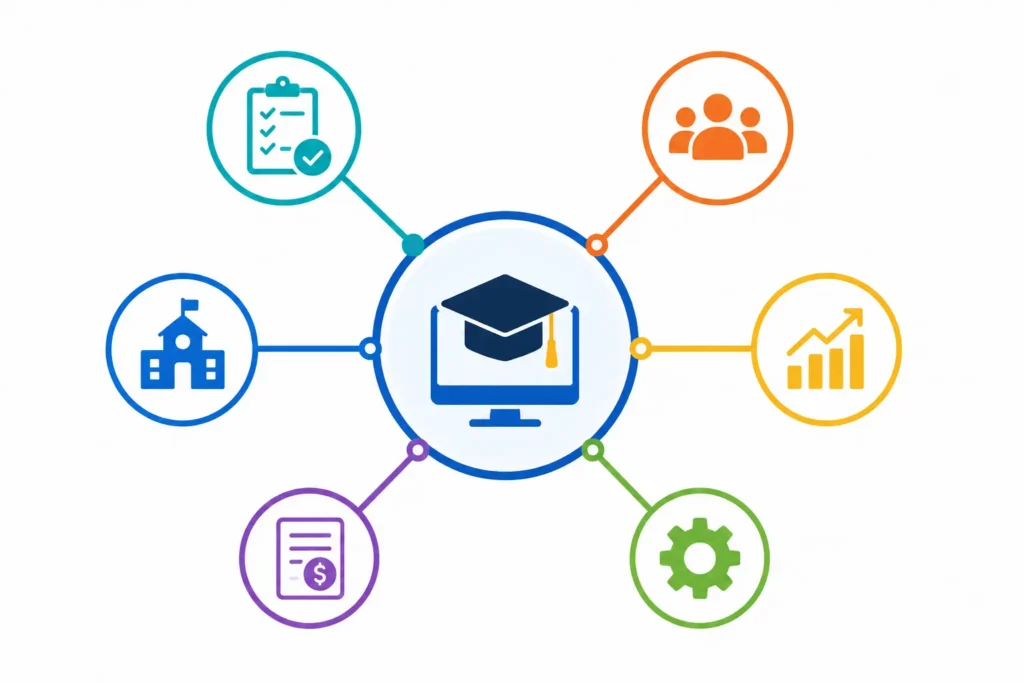
An ERP system is the actual software platform that acts as an organization’s central nervous system. It pulls data from different departments into a single, shared database, creating one single source of truth.
To understand an ERP system, you must first understand the big problem it solves. Think about a business or a school district with many different departments. The human resources team has its own computer program to track employee pay. The finance team uses a different program to pay the bills. The operations team uses yet another program to order supplies.
These separate, disconnected programs are called “data silos.” They do not talk to each other at all. If a teacher moves to a new house, they might update their address with the human resources department. But the finance department might still have the old address on file. This leads to mistakes, lost mail, and confusion. It also wastes a lot of time because employees have to type the exact same information into three different computer programs.
An ERP system fixes this problem completely. It replaces all those separate, disconnected programs with one big, connected software platform. Now, everyone logs into the exact same system.
When the teacher updates their address, the human resources team and the finance team see the new address instantly. There is no more guessing. There is only one set of accurate data. This is what experts mean when they say an ERP system provides a single source of truth. It connects the whole group together just like a nervous system connects the human body.
What Are the Main ERP Modules?
An ERP system is very large. To make it easier to build and use, the software is broken into smaller parts. These smaller parts are called ERP modules. Each module handles a specific job for a specific department. However, all the modules are still connected to the same centralized database.
Here are the most common ERP modules you will find in typical business processes:
- Finance and Accounting: This is one of the most important modules. It tracks all the money coming in and all the money going out. It helps leaders see if they are staying on budget.
- Human Resources (HR): This module manages all employee information. It tracks hiring details, sick days, vacation time, and payroll. In a school, this module manages the teachers, the principals, and the substitute teachers.
- Supply Chain and Inventory: This module tracks physical items. If a school district needs to order new laptops for students, this module tracks the shipment from the factory all the way to the classroom. It also tracks things like cafeteria food and library books.
- Customer Relationship Management (CRM): This module tracks communication with people outside the organization. For a business, this means tracking customers. For a school, this can mean tracking communication with parents and community members.
- Project Management: This module helps teams plan big tasks. It tracks deadlines and makes sure projects finish on time. If a school is building a new gym, the project management module tracks the construction schedule.
Even though these modules do very different things, they all talk to each other. The HR module knows exactly how much to pay an employee because it connects directly to the finance module. This teamwork makes the whole system powerful.
ERP vs. Financials: What’s the Difference?

ERP and financials are not the same. Financials or accounting software focus mainly on financial transactions, reporting, and cash flow. ERP covers finance plus other core business processes such as HR, supply chain, procurement, manufacturing, and CRM in one integrated system.
This is a very common area of confusion. Many people hear about ERP vs financials and think they are exactly the same thing. They are not. It is important to know the difference.
A financial management system is built just for accounting software tasks. It is used strictly by finance teams. One of its main jobs is to manage the general ledger. The general ledger is the master record of all financial data. It is like a giant digital checkbook.
Accounting software also handles accounts payable. Accounts payable is the money the organization owes to other companies. For example, paying the monthly electric bill is an accounts payable task. The software also handles accounts receivable. Accounts receivable is the money the organization is waiting to receive. For a school, this might be a grant check from the government or a fee payment from a parent.
Accounting software is very good at these tasks. However, it only knows about money. It does not know about employee sick days. It does not know about shipping delays for new desks. It is blind to the rest of the organization.
An ERP system is much larger and much smarter. It includes a finance module that does everything a financial management system does. But it connects that financial data to the operational work happening across the rest of the company.
Big software companies like SAP and Oracle build these massive ERP systems. SAP and Oracle include powerful finance tools, but they also include human resources, project management, and inventory tools. Because of this, an ERP system gives leaders a complete picture of the organization, not just a picture of the bank account.
Comparing the Two Systems
| Feature | Financials / Accounting Software | ERP System |
| Main Focus | Money, transactions, and reporting | Core business processes across all departments |
| Typical Users | Finance and accounting teams | Everyone from human resources to operations |
| Included Tasks | General ledger, accounts payable, accounts receivable | Finance, HR, supply chain, CRM, project management |
| Data Connection | Only sees financial data | Creates a single source of truth for all data |
| System Size | Smaller and more limited | Very large and highly connected |
What Are the 10 Things to Look for in an ERP System?
The capabilities of a modern ERP system often vary based on the industry they serve and the modules they offer. However, no matter how specialized the software might be, there are 10 core features that all enterprise resource planning systems should have:
- A common database: This means having centralized information. It creates a single source of truth for consistent shared data. It gives leaders a full view of the entire company.
- Embedded analytics: These are built in tools for reporting and compliance. They deliver smart insights across the business so leaders understand what is happening.
- Data visualization: This is the visual presentation of key information. It uses dashboards and visual charts to help leaders make quick and informed choices.
- Automation: This is the capability to automate simple tasks and workflows. The system uses artificial intelligence and smart computer learning to save time.
- Consistent UI/UX: This means a standardized look and feel across all modules. It includes easy to use tools for personalization so customers and suppliers can find what they need.
- Integration: This allows the smooth connection of business processes. It also means open integration with other outside software solutions and data sources.
- New technologies: The system should support modern tools. This includes artificial intelligence, digital assistants, internet connected devices, strict privacy rules, and mobile technology.
- Technology platform: This provides a fast and stable technology stack. It is a long term investment that includes easy building tools like low code platforms and data management.
- Multinational support: This offers global support for languages, currencies, and local business rules. It also provides technical support for training and software setup.
- Choice of deployment: The software should offer different ways to run the system. This includes cloud based options, local on premises servers, or a mix of both.
What Are the Key Benefits of ERP?
As mentioned, the advantages of implementing an ERP system vary depending on the deployment model. That said, the following six benefits apply to all modern ERP solutions:
- Higher productivity: Streamline and automate core business processes so people throughout the organization can do more with fewer resources.
- Deeper insights: Eliminate information silos, gain a single source of truth, and get fast answers to important business questions.
- Accelerated reporting: Fast track business and financial reporting. Easily share results to act on insights and improve performance in real time.
- Lower risk: Maximize business visibility and control. Ensure the organization follows important rules and predict risks before they happen.
- Simpler IT: Use integrated applications that share a centralized database. This simplifies technology and gives everyone an easier way to work.
- Improved agility: Identify and react to new opportunities quickly with efficient operations and ready access to real time data.
What Are the Types of ERP Deployment?
An ERP system has four common deployment types: cloud based, on premises, two tier, and hybrid. Each type has its own benefits and drawbacks. Businesses and schools must identify which ERP deployment option best fits their needs.
Cloud ERP
With cloud ERP, the software resides on a remote server owned by a third party. It is accessed through the internet as a subscription service. The software provider handles the maintenance, updates, and security on the business’s behalf. Today, cloud ERP is the most popular ERP deployment method. It offers lower upfront costs, greater scalability, faster innovation, and easier integration.
On Premises ERP
On premises is the traditional model for deploying ERP software. It allows for the greatest level of control. The software is typically installed on physical computers right inside the company’s data center. While total control is certainly a benefit, it also comes with the heavy responsibilities of installation and ongoing maintenance.
Two Tier ERP
Companies undergoing major operational changes often opt for a two tier model. For example, the first tier ERP may be an on premises server at the main headquarters. The second tier ERP could be a cloud based system handling local functions for a smaller branch. A two tier strategy enables companies to start a controlled move to the cloud without disrupting daily operations.
Hybrid ERP
A hybrid model is a type of two tier ERP system that combines on premises and cloud based deployment. It gives businesses the flexibility to choose the best setup for each specific application. Hybrid cloud ERP can be a stepping stone to a full cloud model. It is very helpful for applications that must stay on premises to meet strict security requirements.
Why Businesses Are Moving to ERP Cloud Solutions: 7 Reasons
For businesses of all sizes, retiring old local computer systems and moving entirely to the cloud all at once is not always possible. Sometimes, it is not something they are comfortable doing quickly. However, ignoring all the advantages of enterprise resource planning as a cloud solution is no longer a good choice. Why should an organization consider using cloud applications to replace their old system? Here are 7 reasons:
- Readily adopt new and evolving SaaS technologies: Next generation technologies help cloud based systems rapidly improve. They do not need massive periodic updates like old legacy systems. The software continually becomes easier to manage and use.
- Extend the value of your existing ERP System: Adding cloud applications to older software can enhance and supplement important tasks. This breathes new life into older ERP systems and gives businesses a great start with the cloud.
- Access new technologies: Finding cloud applications that match your old ERP modules lets you use rapidly advancing new technologies. These provide great tools that deliver immediate value without a giant change in your daily operations.
- Reduce third party dependencies: Reporting and analytics for old systems usually require help from a third party vendor. Using cloud applications often produces the same or better intelligence without needing to hire an extra company.
- Evolve your financial systems: Old systems were never meant to be modern reporting engines. Cloud based technology was developed with an entirely different mindset. It understands what is truly needed for modern ERP platforms.
- More robust security resources: Cloud solution service providers have large, full time teams. These experts are exclusively dedicated to proactively monitoring and fixing cloud security threats 24 hours a day.
- Attract in demand talent: The next generation of young workers has grown up with technology that is mobile, easy to use, and always on. No company that relies purely on old local technology will be able to recruit top talent easily.
What Is ERP in a School?
In education, a school ERP is a central digital platform that helps administrators, teachers, and parents manage daily tasks. It combines student admissions, attendance, fee collection, staff HR, and parent communication under one dashboard.
You might wonder why a school needs the same type of software as a big business. The truth is, running a school district is just like running a large company. Schools have massive amounts of data to organize every single day. A school ERP system makes this possible.
Instead of a “supply chain” tracking factory parts, a school ERP system tracks student schedules, classroom assignments, and daily bus routes. Instead of tracking sales numbers for a store, it tracks student enrollment and daily attendance for the state.
Before schools started using these systems, teachers spent hours writing attendance records on paper. Then, office staff had to type those paper records into an old computer. This wasted a lot of time and caused many mistakes. Parents had to call the front office and wait on hold just to see if their child made it to class safely. It was very stressful for everyone involved.
Now, a school ERP system handles all of this automatically. Imagine a Tuesday morning at a local middle school. When a teacher marks a student absent on their computer, the system updates instantly. The principal can look at their screen and see the exact attendance rate for the whole school. The system can even send an automatic text message to the parents to let them know their child is absent.
The system also handles school fees. If a parent pays for a field trip or puts money into a school lunch account, the payment goes directly into the school’s finance module. The school ERP system makes the school run faster, safer, and with fewer mistakes. It allows teachers to spend less time on paperwork and more time teaching their students.
What Is an ERP Portal?
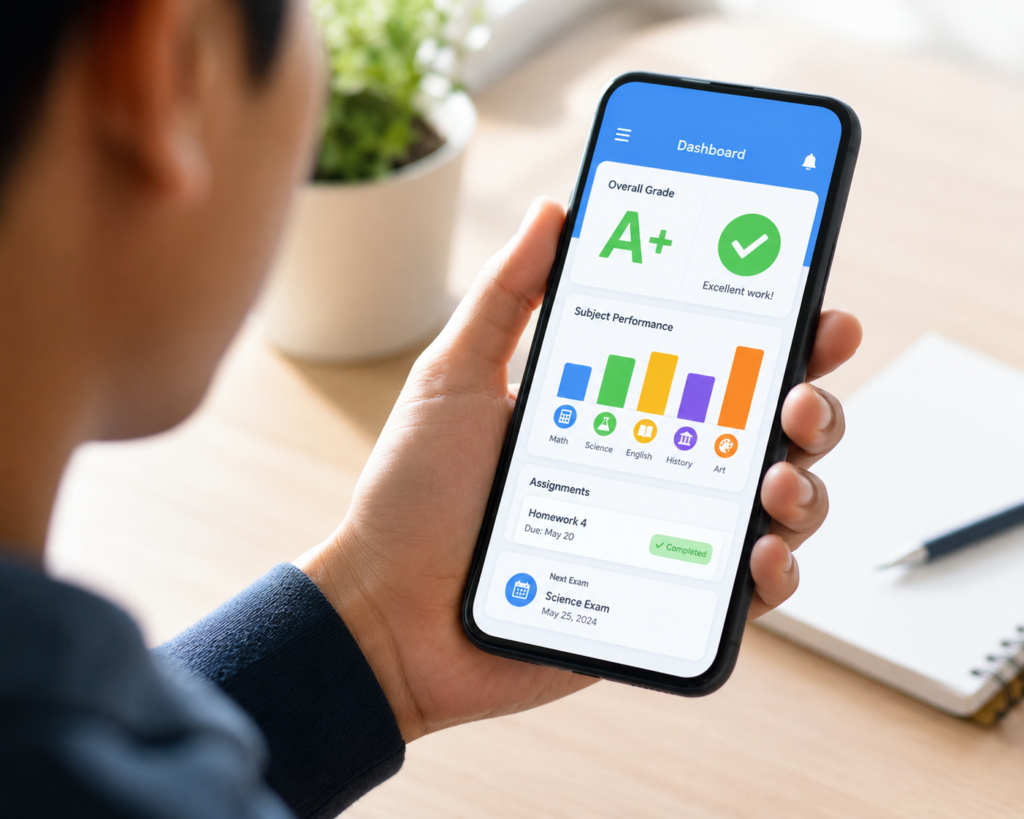
If your school uses this technology, you might receive an email asking you to log into the “ERP portal.” Sometimes schools just call this the parent portal. What exactly does this mean?
An ERP portal is simply the secure login screen on your computer or phone. Think of the portal as a digital window. You are looking through the window directly into the school’s massive database.
However, you do not see everything. The school ERP system contains private and sensitive information about every student and teacher in the building. The portal makes sure you only see the specific information that belongs to your family. It protects everyone’s privacy.
When a parent logs into the parent portal, they can usually see several helpful things. They can check their child’s daily attendance records. They can look at final report cards and state test scores. They can view the family’s fee balances and pay for school lunches securely online. They can also read important announcements from the principal or the school district.
The portal is a wonderful tool for families. It means you do not have to wait for a parent teacher conference to know how your child is doing in class. You do not have to dig through your child’s messy backpack for crumpled permission slips. You do not have to wonder if a check made it to the cafeteria. All the information you need is waiting for you in the parent portal. You can check it from your phone while you are at work or sitting at home.
ERP vs. SIS vs. LMS in Schools: What’s the Difference?
When you explore school technology, you will see many different acronyms. Three of the most common are ERP, SIS, and LMS. It is very easy to get them mixed up. Here is a simple guide to understanding the difference between them.
First, we have the SIS. This stands for Student Information System. You can think of the student information system as the school’s digital filing cabinet. It holds all the official records for every single student. It tracks their past grades, their emergency contact numbers, their medical needs, and their daily class schedules. It is mainly used by the school office staff and the teachers to keep legal records organized safely.
Next, we have the LMS. This stands for Learning Management System. You can think of the learning management system as the digital classroom. This is where the actual teaching and learning happens on a computer screen. Teachers use the LMS to post daily assignments, share reading materials, and give spelling quizzes. Students log into the learning management system to turn in their homework and talk to their teachers about their lessons. If your child uses popular learning programs like i-Ready or SplashLearn, they are using learning tools that act like an LMS.
Finally, we have the ERP. As we learned earlier, this is the back office engine. The ERP is the giant umbrella that connects everything else together. It connects the student information system with the human resources department and the fee management tools.
To put it simply: The LMS handles the daily homework. The SIS handles the official student records. The ERP runs the entire school district and makes sure everyone gets paid and everything stays organized. Sometimes, the SIS and the LMS are actually built right into the school’s main ERP system as separate modules.
Final Thoughts
We hope this guide helped you understand the technology running behind the scenes at your job or your child’s school. Learning these technical terms can feel overwhelming at first. There are so many acronyms to remember. But once you know the basics, using these tools becomes much easier and much less stressful. The parent portal is designed to help you stay involved in your child’s education.
If you want to learn more about the apps and platforms your child uses every day, we are here to help. We invite you to explore more plain-language guides to school technology, parent portals, and fun learning apps at Clever Portal US.
ERP FAQs
Here are some of the most frequently asked questions about this software.
What is ERP meaning in simple words?
In simple words, it is a central software system that runs all major operations of an organization from one shared database. It replaces many small, disconnected computer programs with one big, organized platform. This helps everyone share the exact same information.
Is ERP just accounting software?
No, it is not just accounting software. Accounting is just one module inside a larger ERP system. While it handles all the money tracking, it also handles human resources, supplies, project planning, and customer relations. It does much more than just balance the checkbook.
Why do schools use ERP software?
Schools use this software to eliminate messy paperwork and reduce data errors between departments. It saves teachers and office staff a massive amount of time. It also gives parents a single, easy place to check student progress, view attendance, and pay school fees safely online.
How is a student information system different from ERP?
A student information system focuses only on student records like grades and emergency contacts. An ERP is much bigger. It includes the student records, but it also includes the school’s money records, staff details, and building operations.